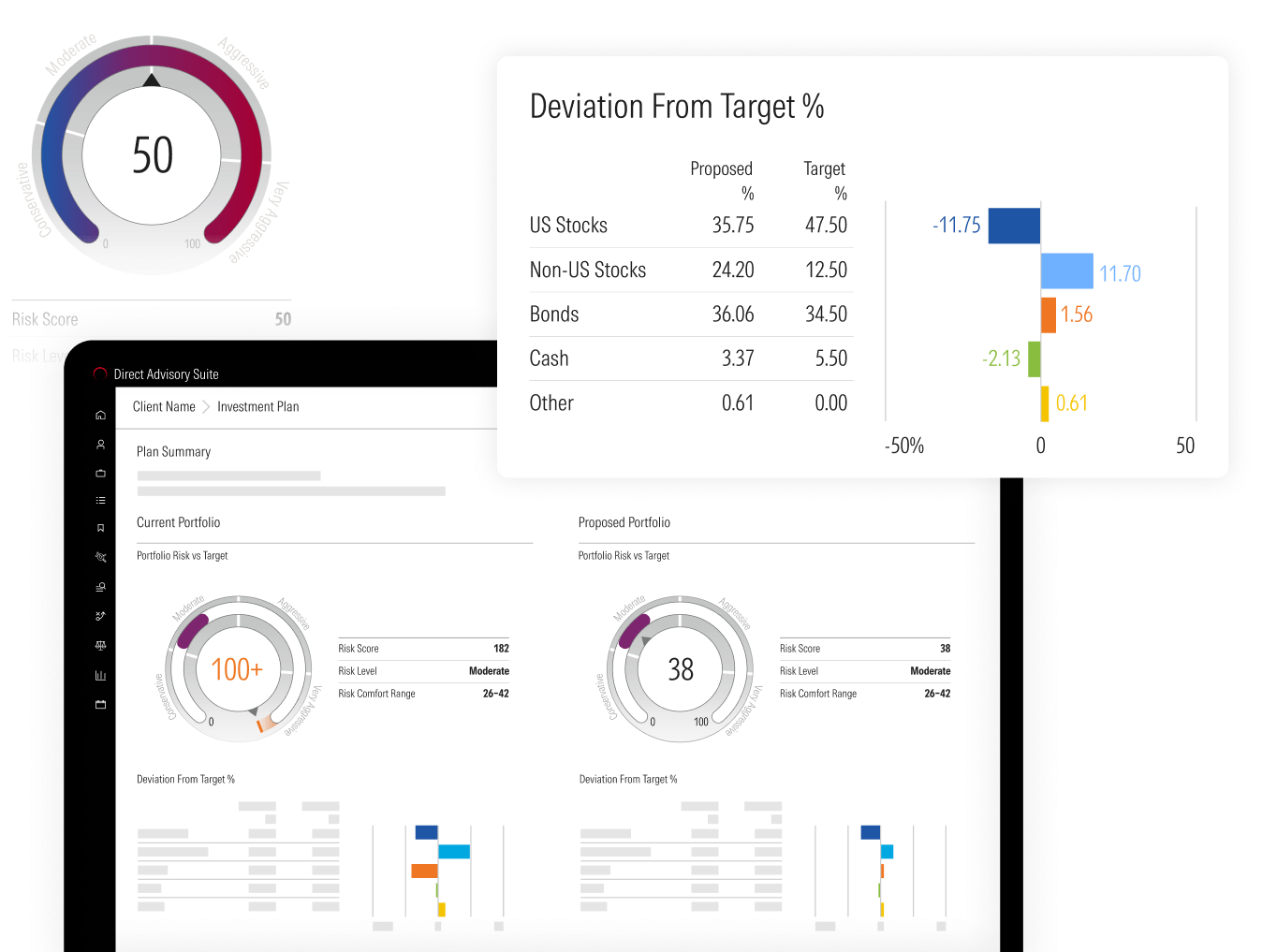
A side-by-side comparison of a current and proposed portfolio, comparing portfolio risk versus the target risk level.

Risk Profiler

Give clients a better understanding of risk comfort and trade-offs with a data-backed risk profile. Our risk tolerance questionnaire has been taken over 2 million times with stable and defensible results across market conditions.
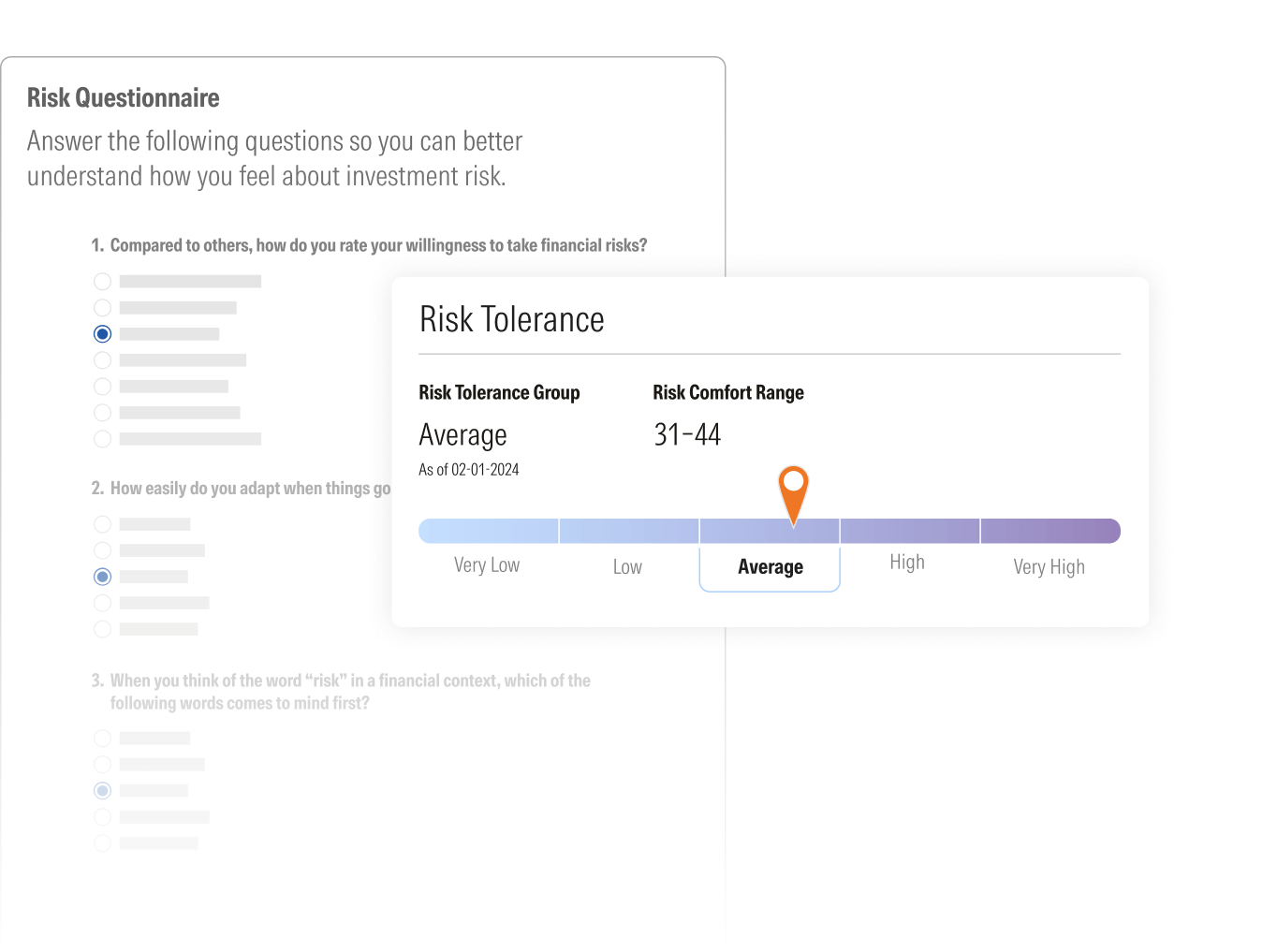
A screen showing a "Risk Questionnaire" with the title "Answer the following questions so you better understand how you feel about investment risk." The first question is partially visible: "1. Compared to others, how do you rate your willingness to take financial risks?" with multiple-choice options. A pop-up on the right displays "Risk Tolerance," indicating a "Risk Tolerance Group" of "Average" and a "Risk Comfort Range" of "31-44," with an orange marker on "Average" on a horizontal risk spectrum.

Portfolio Risk Score

Drive growth with productive conversations by creating clarity around portfolio risk. The Morningstar Portfolio Risk Score measures true exposure across holdings, then aligns client risk profiles with proposed portfolios—showing clearly whether they’re on target or off track, and turning risk into a powerful driver of trust and new business. 
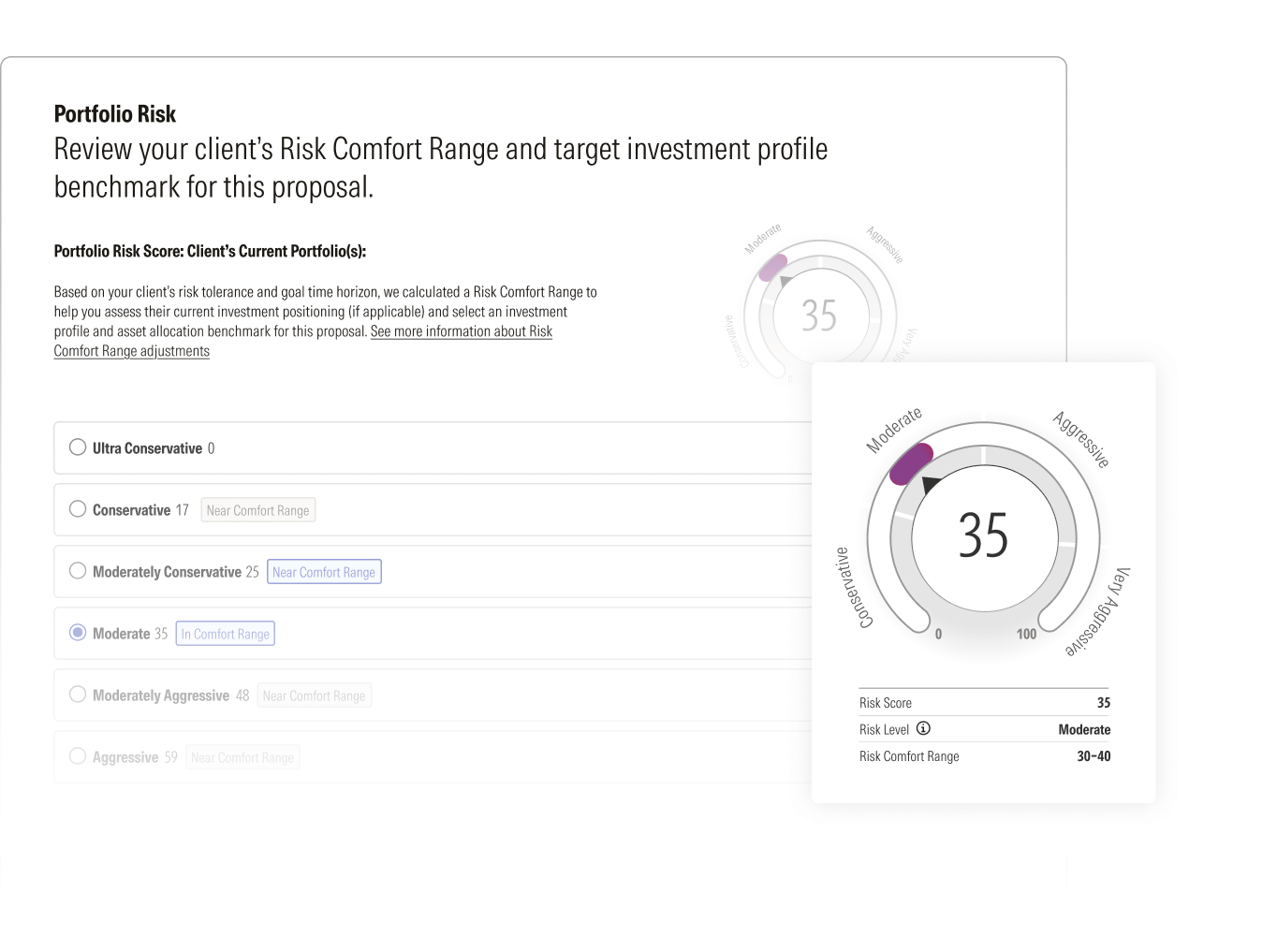
 A screen displaying "Portfolio Risk" analysis. It shows a large circular gauge indicating a "Risk Score" of 35, categorized as "Moderate," with a "Risk Comfort Range" of 30-40. To the left, radio buttons allow the user to select different risk levels, such as "Ultra Conservative," "Conservative," "Moderately Conservative," "Moderate" (currently selected), "Moderately Aggressive," and "Aggressive," with an accompanying numerical score for each.

Risk Comfort Range

Connect each client’s tolerance and time horizon to the Portfolio Risk Score, creating a clear range of portfolio risk they can feel confident with. The result is a personalized, compliant proposal that reflects advisor expertise and aligns to client preferences and goals. 
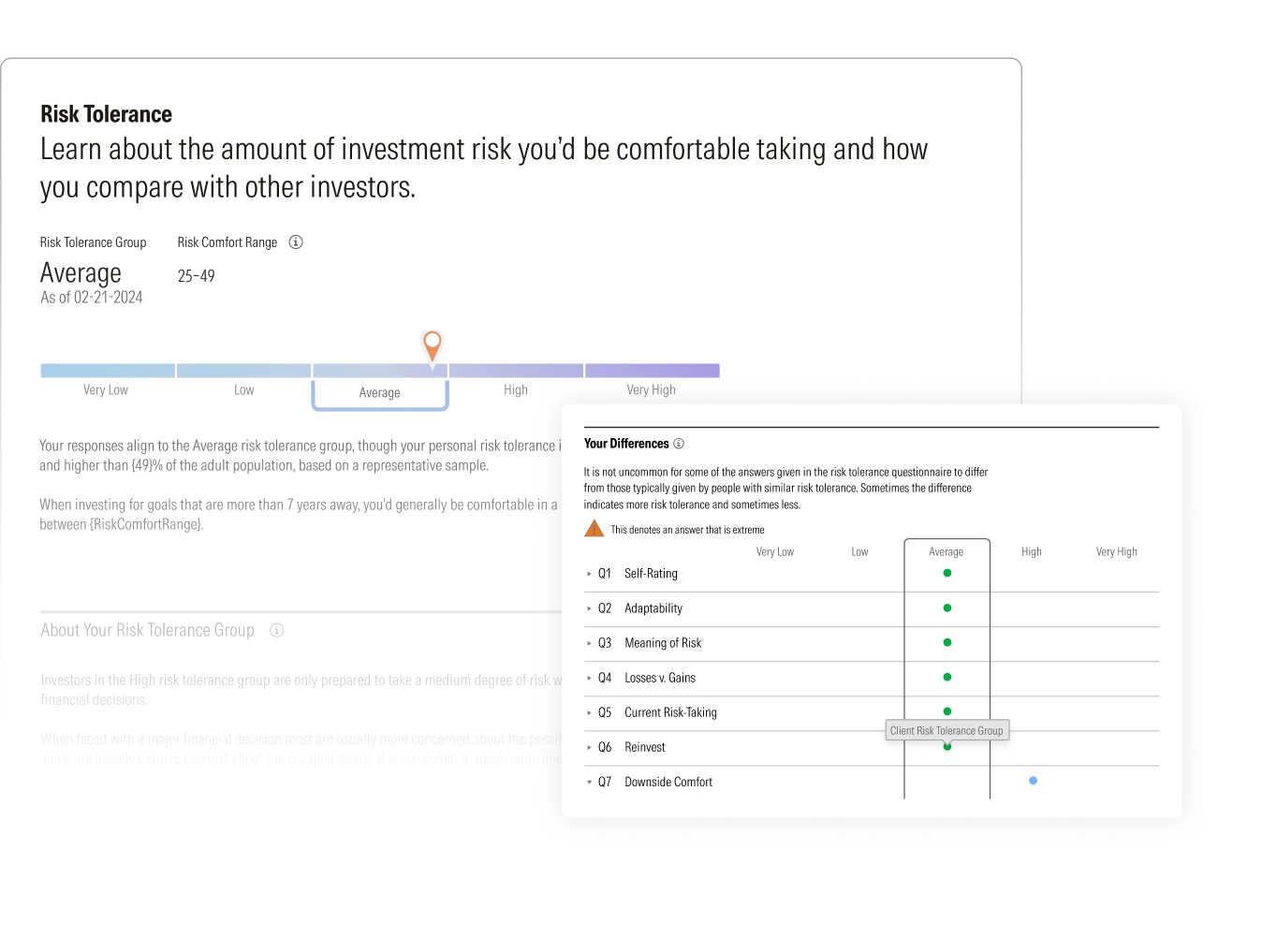
 A screen focusing on "Risk Tolerance." It shows a horizontal bar indicating risk tolerance groups from "Very Low" to "Very High," with an orange marker on "Average." The text explains that responses align to the Average risk tolerance group. Below, a table titled "Your Differences" displays responses to 7 questions (Self-rating, Adaptability, Meaning of Risk, Losses v Gains, Current Risk Taking, Reinvest, Downside Comfort) compared across "Very Low" to "Very High" categories, highlighting deviations from typical responses.

Digital Prospect Discovery

Send clients a personalized link to the risk tolerance questionnaire. Once completed, advisors receive a notification and see the responses in Direct Advisory Suite in real time.
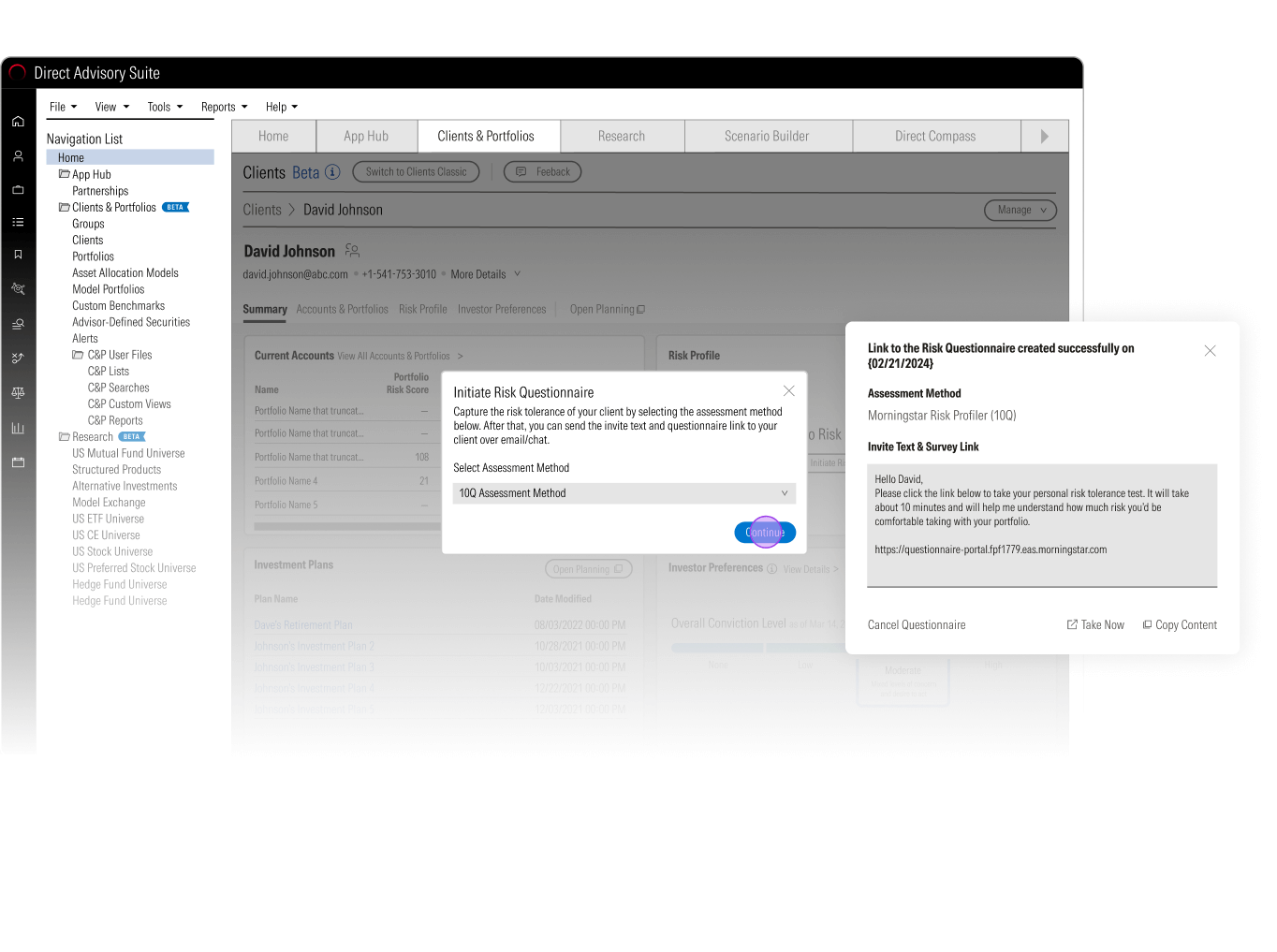
A screenshot of the "Direct Advisory Suite" interface, specifically the "Clients & Portfolios" section for "David Johnson." A modal window titled "Initiate Risk Questionnaire" is open, allowing selection of an "Assessment Method" (Morningstar Risk Profiler (10Q) selected). Another pop-up confirms "Link to the Risk Questionnaire created successfully" and provides a link and an option to "Invite Text & Survey Link" with a pre-written email message.

Client-Facing Reports on Risk Tolerance

Fuel both compliance and client confidence with FINRA-reviewed risk tolerance reports. These clear, client-ready outputs show risk tolerance, comparison data, and the Risk Comfort Range, making alignment easy to demonstrate while reinforcing defensibility. 
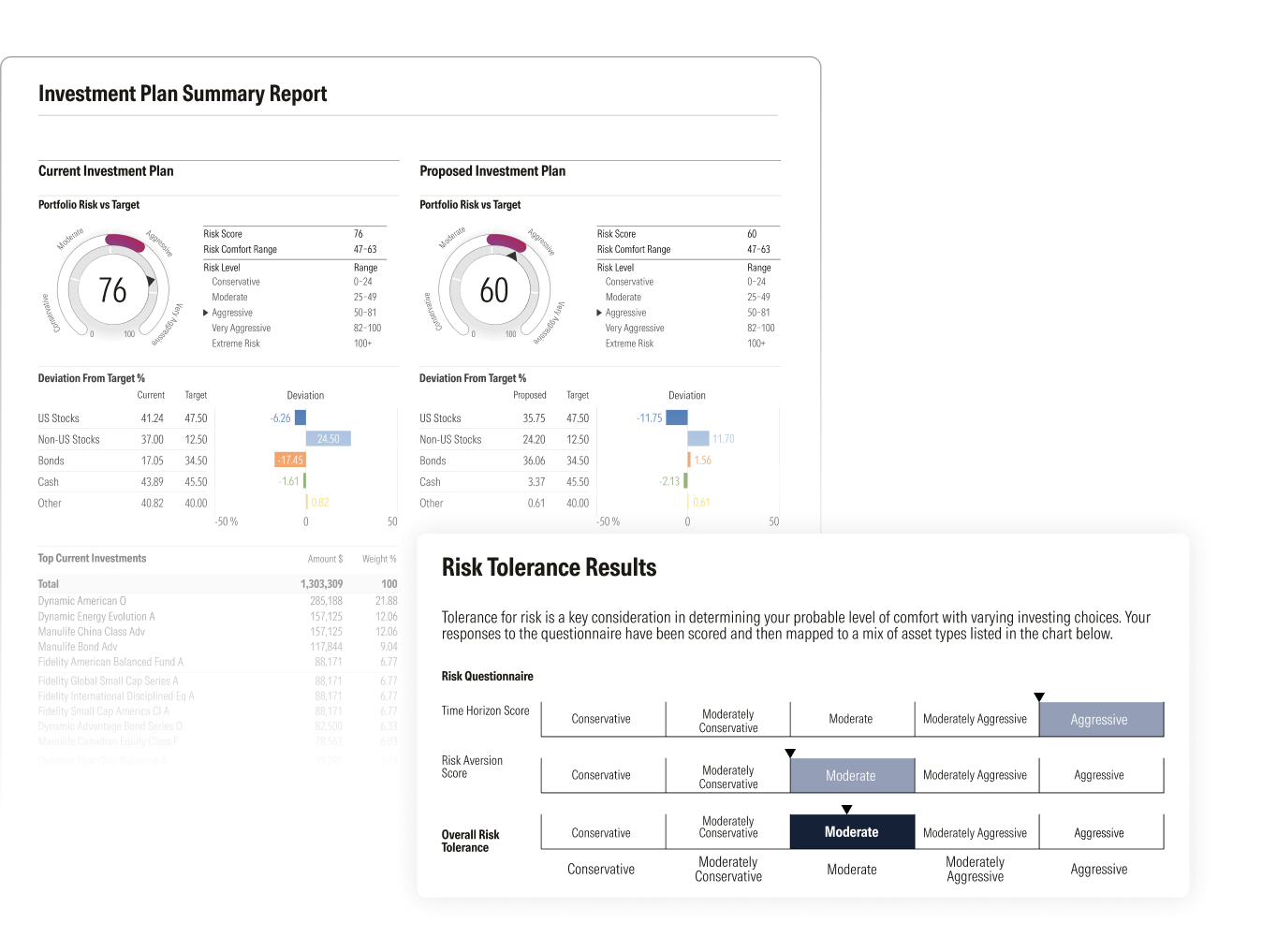
A client-facing report titled "Investment Plan Summary Report." It compares "Current Investment Plan" and "Proposed Investment Plan" side-by-side, each with a risk gauge (76 for Current, 60 for Proposed), risk scores, levels, and comfort ranges. Below these, deviation from target percentages for asset classes are shown with waterfall charts. The bottom section, "Risk Tolerance Results," explains risk tolerance and displays a matrix with "Risk Aversion Score" and "Overall Risk Tolerance" showing selections ranging from "Conservative" to "Aggressive."

Let’s collaborate

See Direct Advisory Suite in action