
Add or delete watchlist securities
Keep your watchlists up to date by adding or removing securities.
There are three ways to add securities to a watchlist:
- In the Watchlist tool by using Investor’s search function
- In the Watchlist tool by importing files containing tickers or security names
- Across the site, such as on quote pages or in articles where securities are mentioned, by selecting the Actions menu (a round icon that contains an ellipsis)
Add securities using Investor's search function
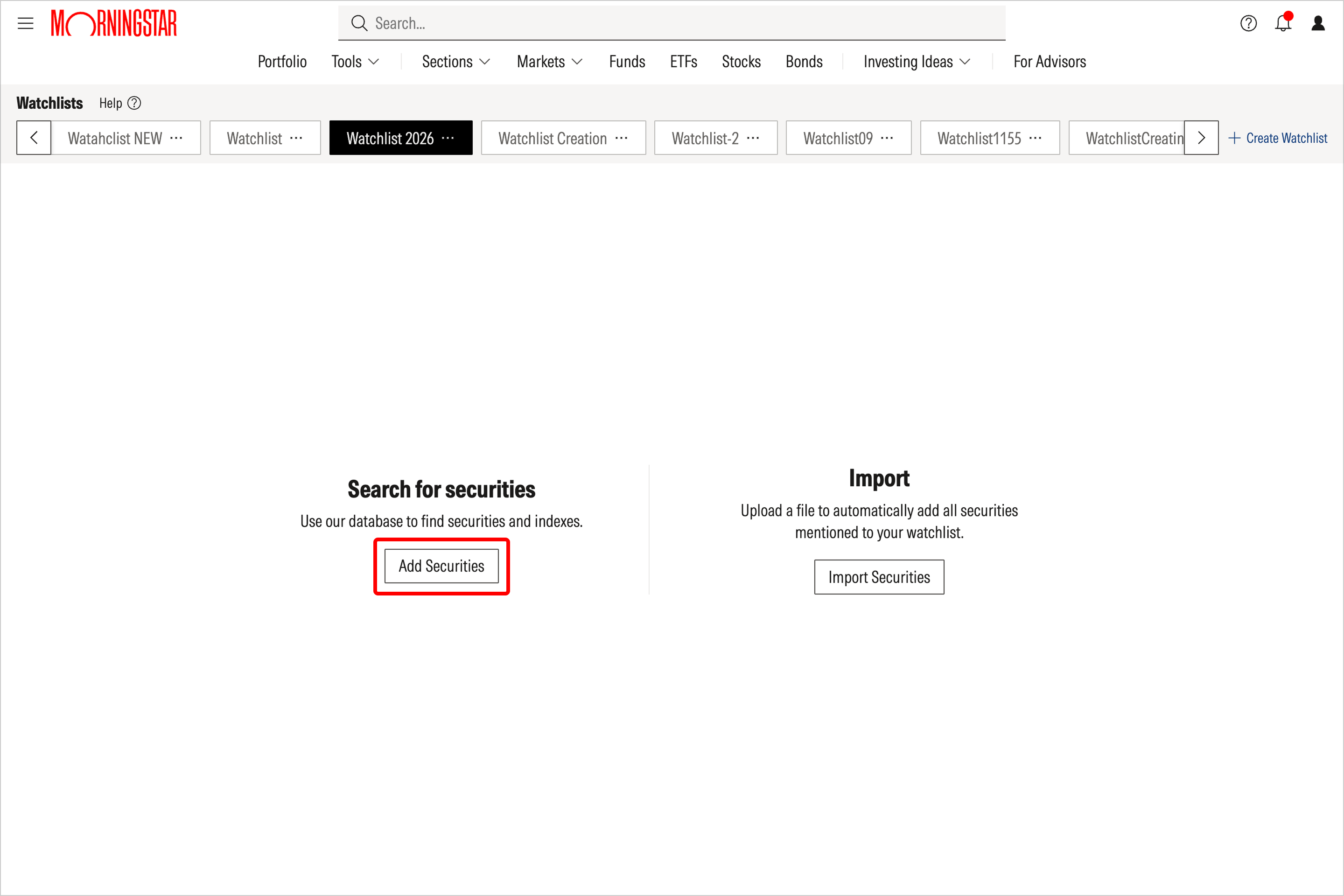
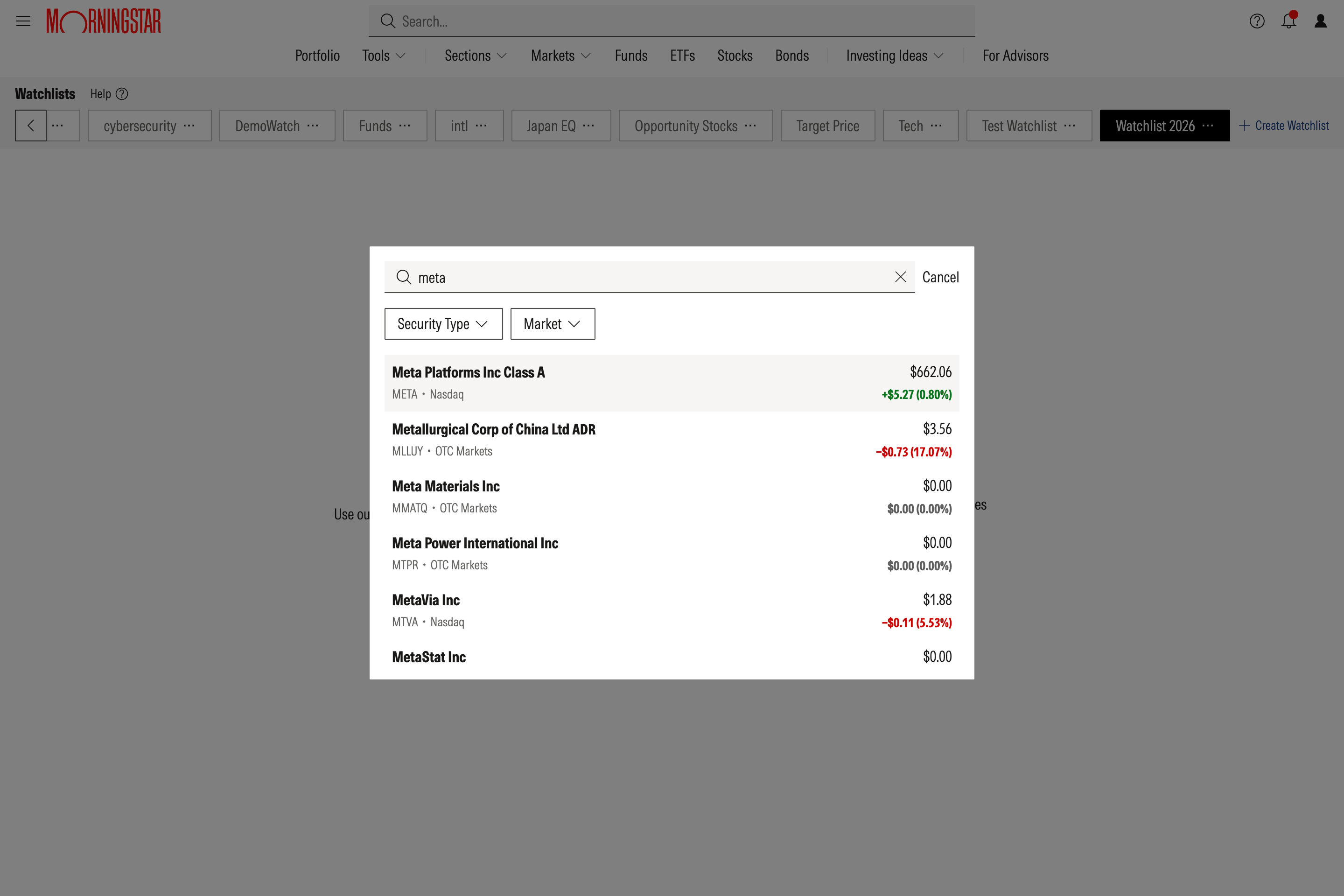
While in the watchlist tool, to use the search function, click Add Securities and enter the name or ticker of your desired security.
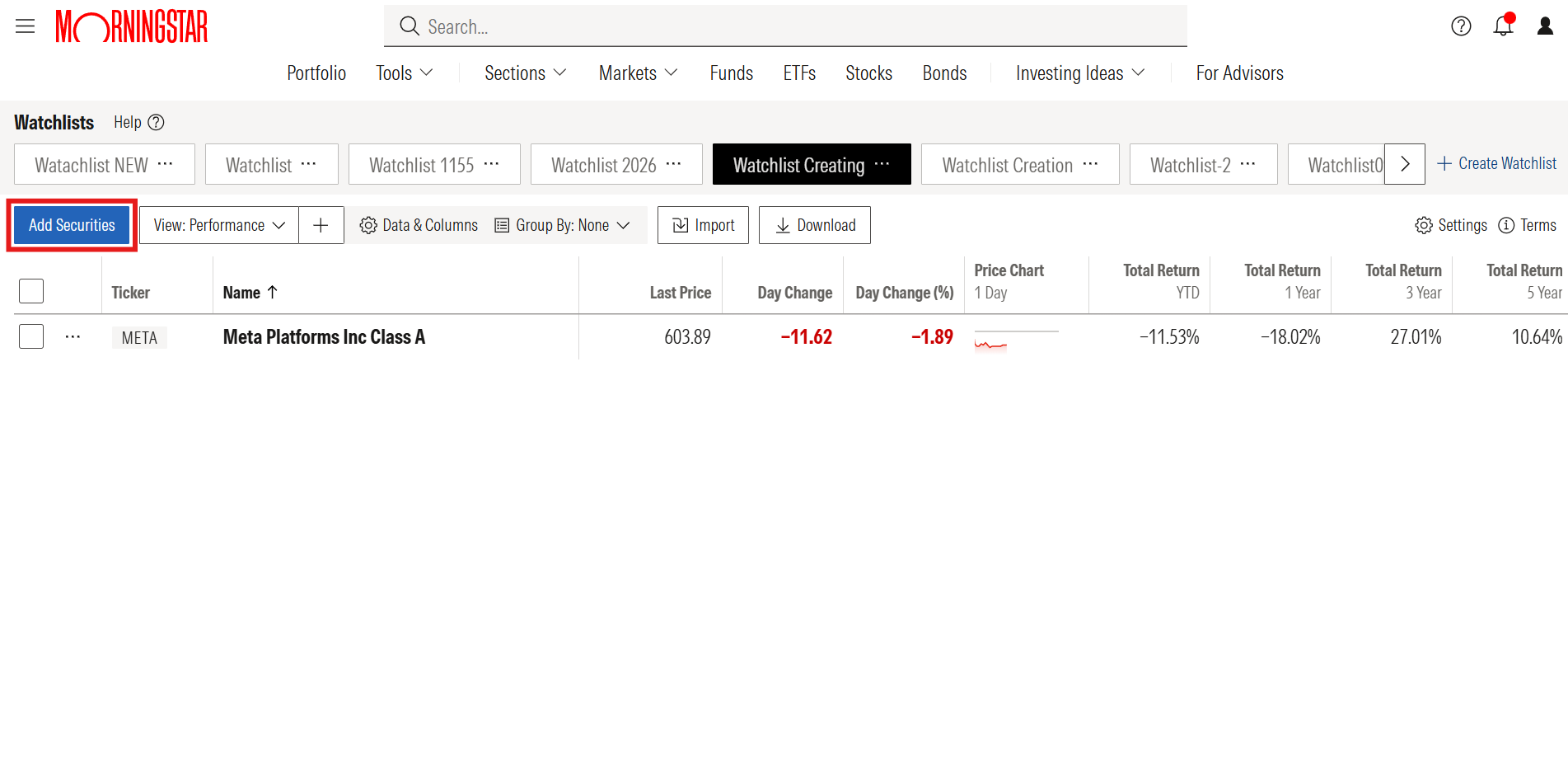
You can add additional securities to your watchlist via the search function at any time by selecting Add Securities in the top navigation.
Add securities via an imported file
Alternatively, when you add securities to a watchlist, you can import a list of names and/or ticker symbols instead. The Import function also allows you to upload files that don't contain formal lists, such as articles or photos, and it will populate your watchlist with any securities named within. Watch this demo to see a few examples of how to make the most of the import feature.
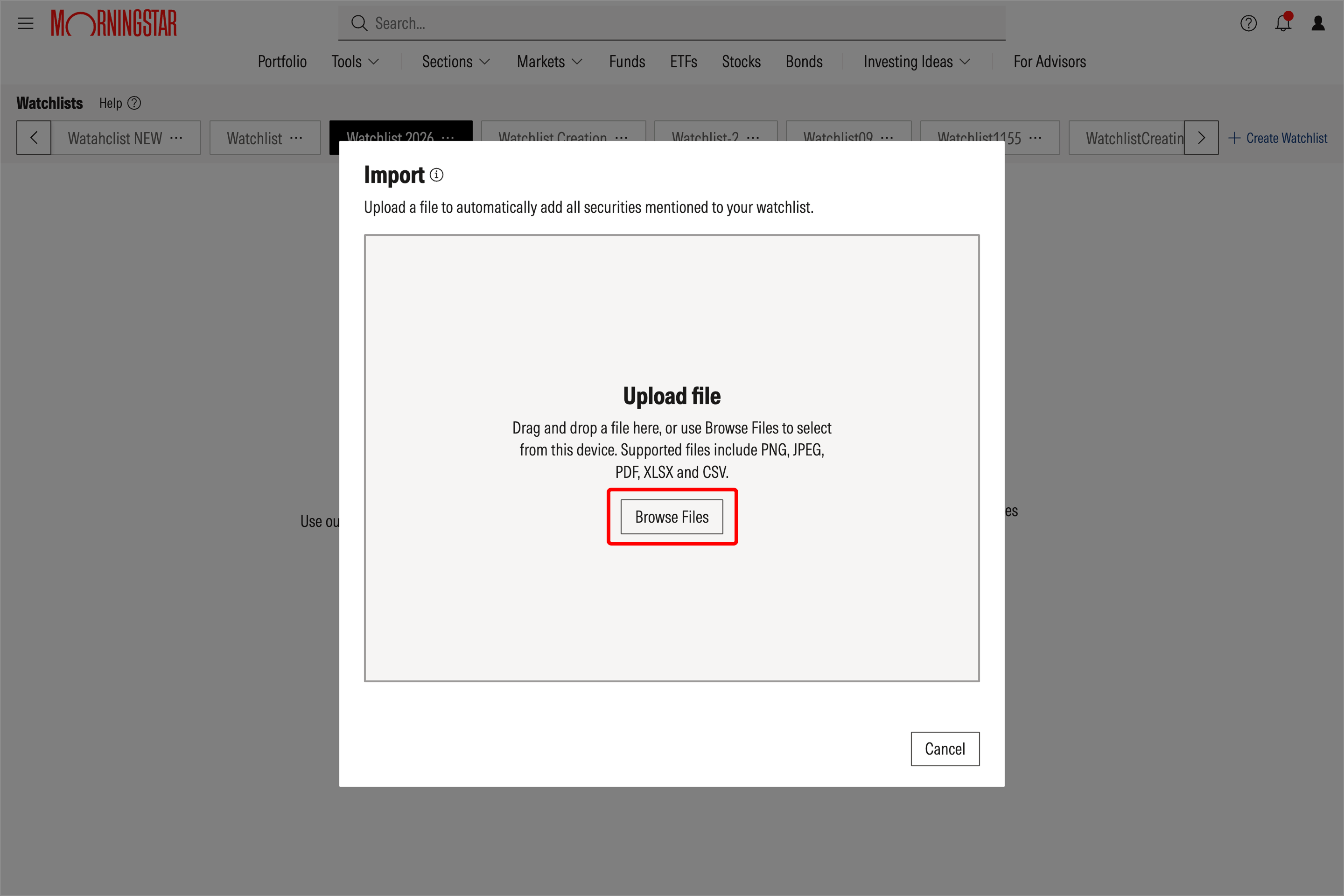
To take this approach, select Import securities.
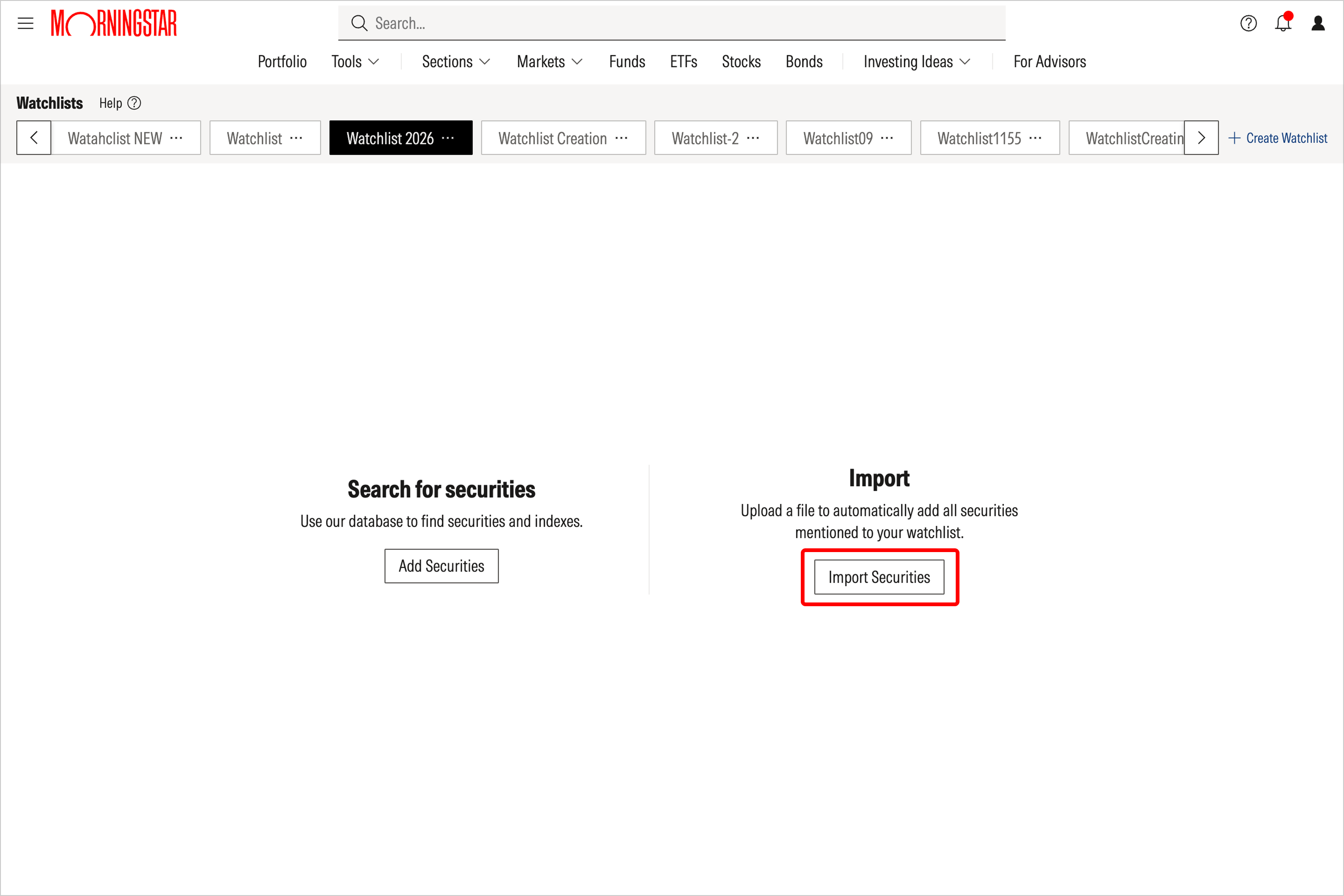
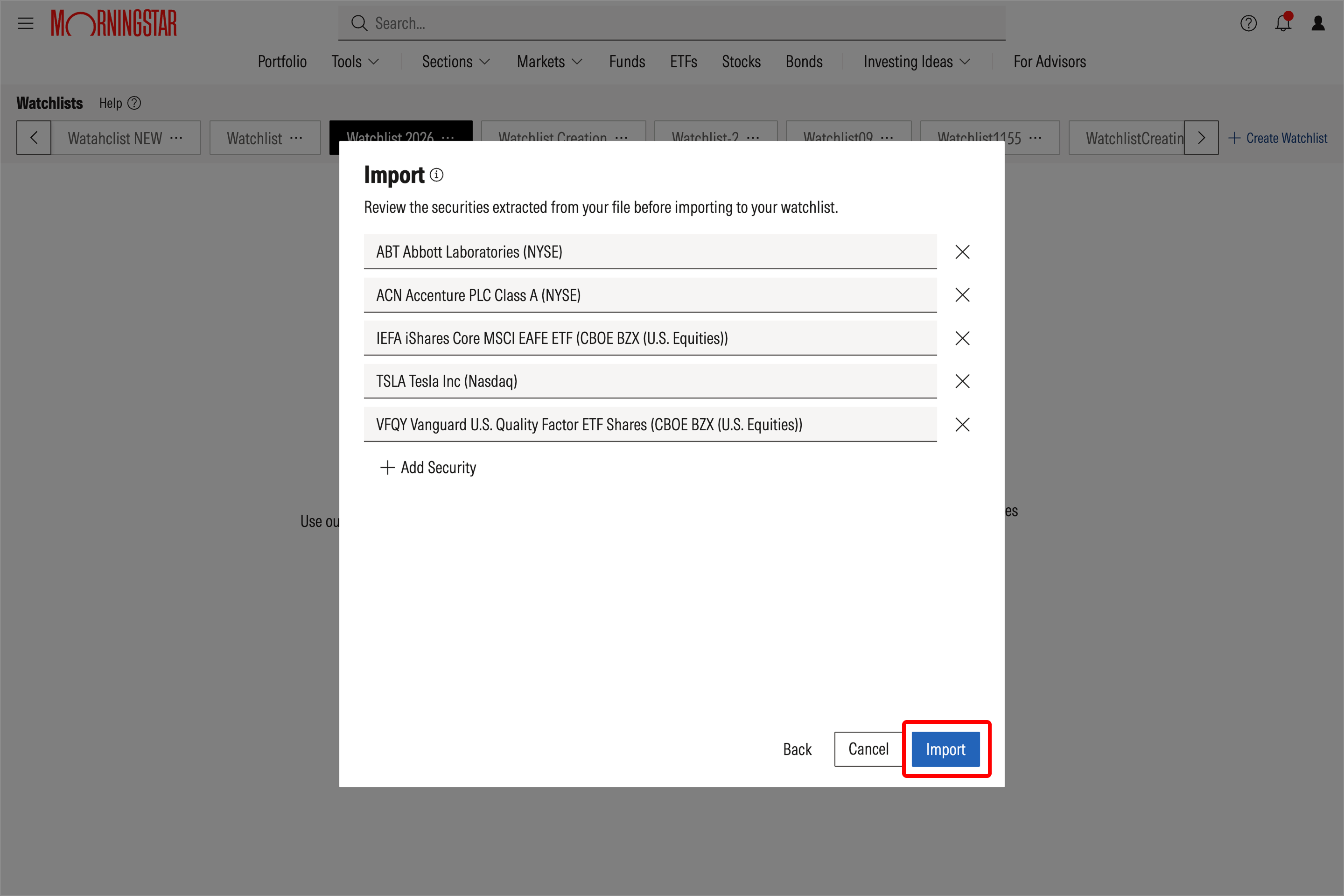
From here, you can upload a file (PNG, JPG, JPEG, PDF, XLSX, CSV, TXT, HEIC, HEIF files are all accepted), which will bring the securities into a preview window, allowing you to review the selections and make any necessary changes before adding them to your watchlist. Correct any discrepancies if they arise; when you're satisfied, select Import.
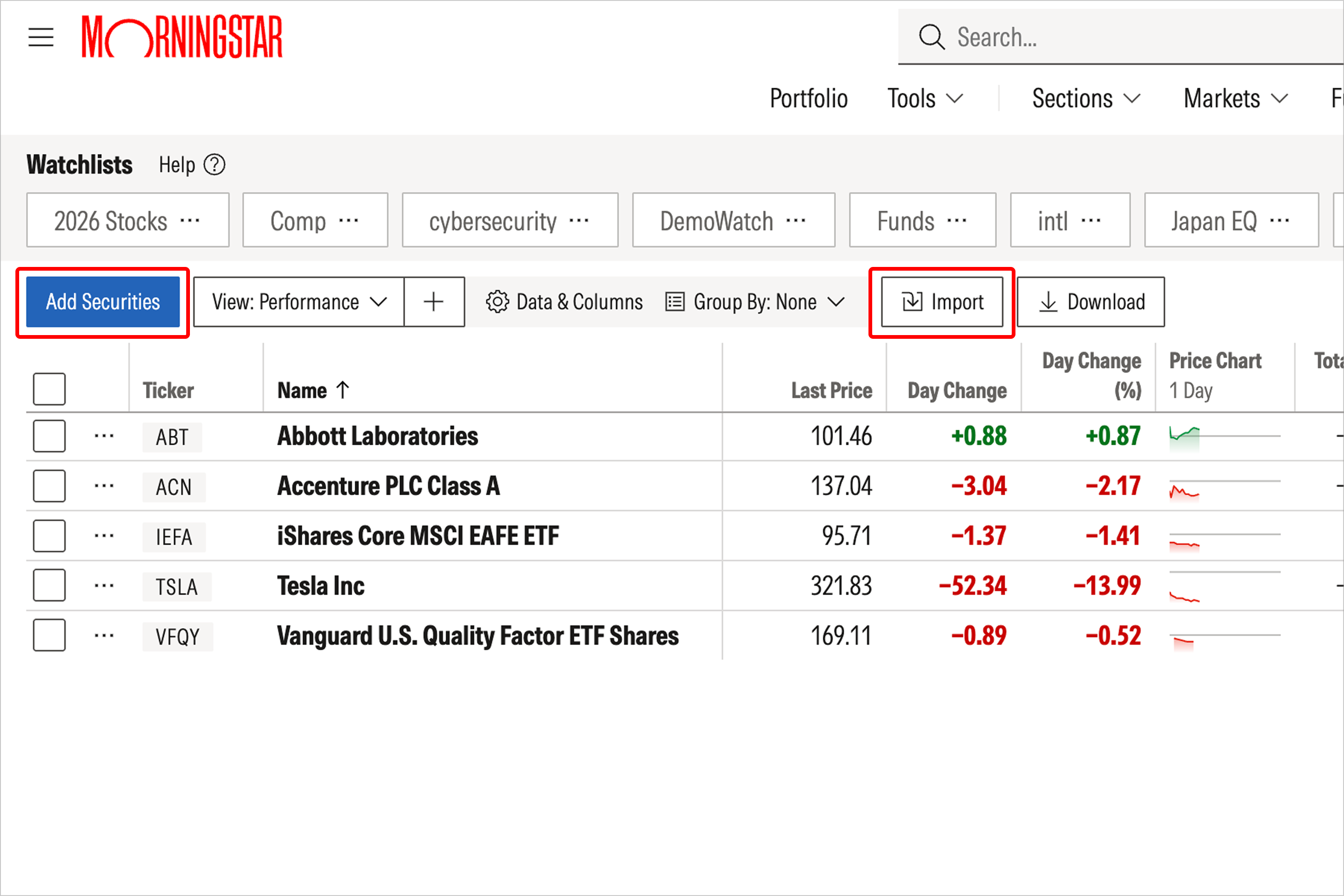
You can import additional lists of securities to your watchlist at any time by selecting the Import button, or you can search for securities to add by selecting the Add Securities button.
Add securities to a watchlist via the Actions menu
While visiting stock or fund quote pages, best Investments lists, and articles that mention securities, click on the icon containing an ellipsis (three dots) to access a menu with multiple options, including the ability to add a security to a watchlist.
You can use this same menu to set a target price for stocks.
Remove securities from a watchlist
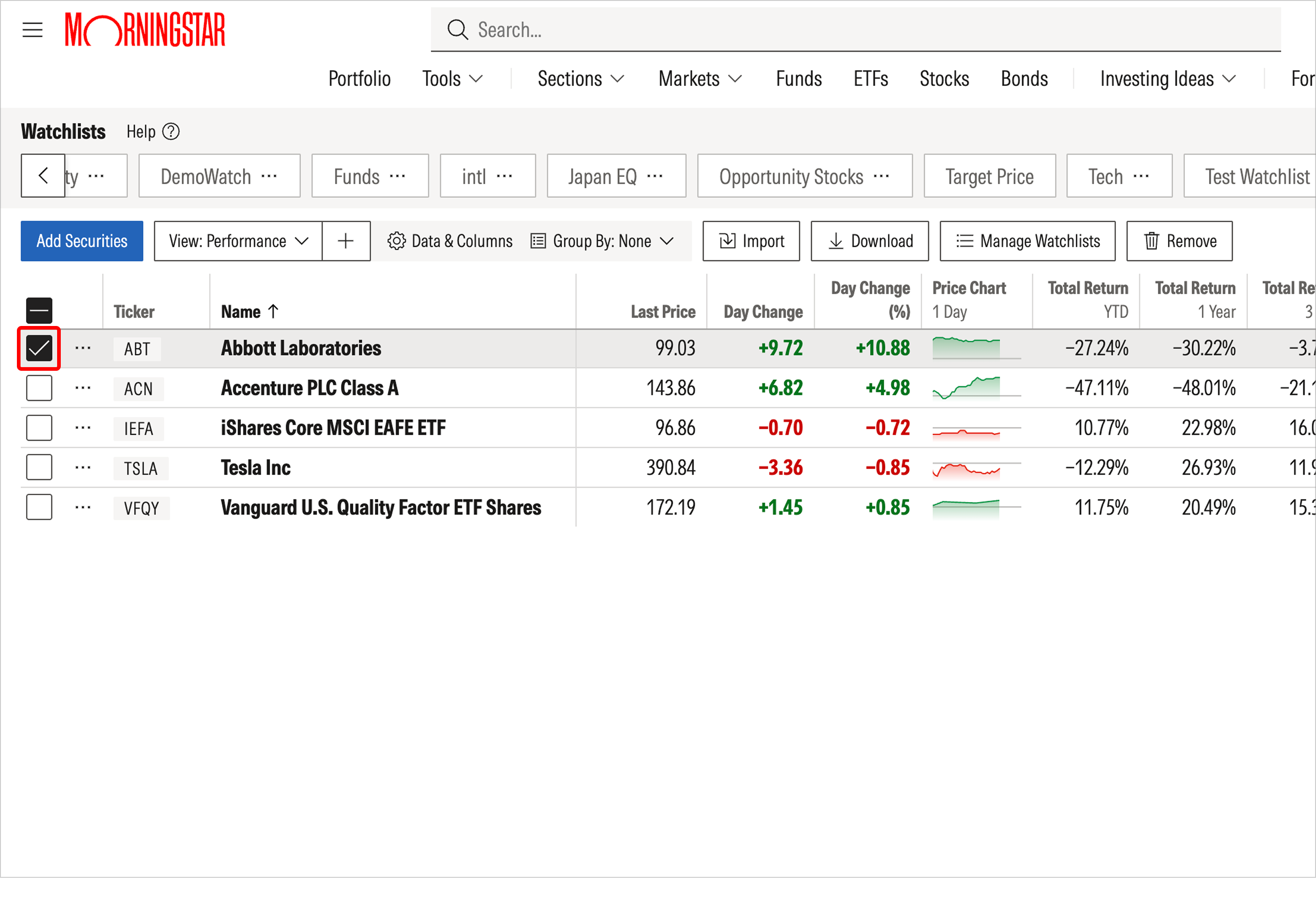
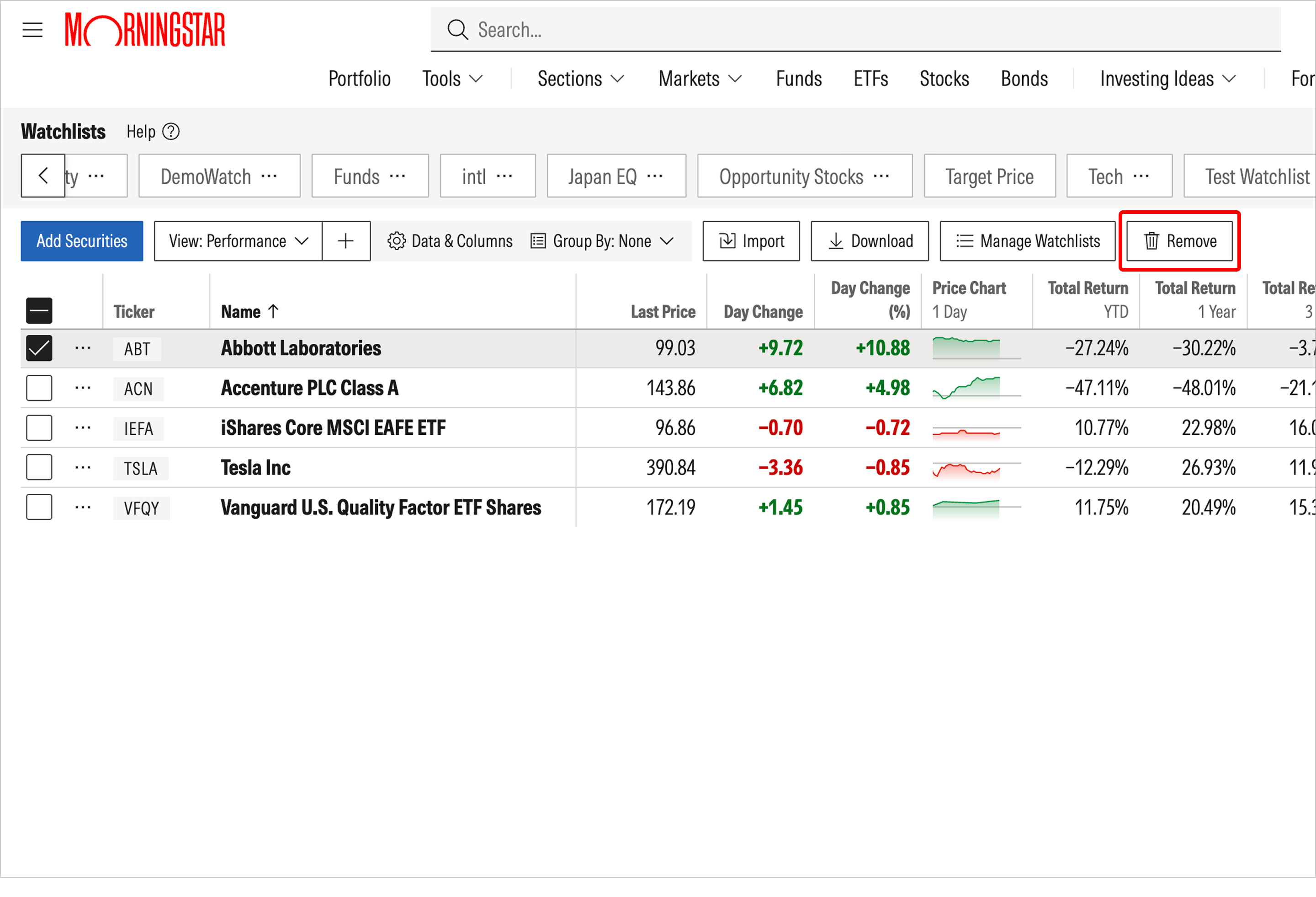
To remove a security from your watchlist, click on the box in the left-most column beside the ticker name. The Remove button will then appear in the top navigation. Select the Remove button, and your chosen security will immediately be deleted and your updated watchlist will automatically be saved.

 United States