
Rebalance a portfolio
Tips on how to approach rebalancing your portfolio using Investor.
Morningstar Investor can be a useful tool as you review your current asset allocations and adjust them toward a target allocation. The changes you choose may include increasing or decreasing the number of shares owned of any security, adding a new investment, or selling off a current investment completely.
General rebalancing considerations
- The primary reason to rebalance is to attempt to control risk, not necessarily to improve returns.
- The main factors you want to look at are your time horizon and your specific financial goals. In addition to the overall mix of stocks, bonds, and cash, also look at U.S. versus international holdings and value versus growth.
- A tax-deferred account like a 401(k) or an IRA is the best place to start because buying and selling within the same account won’t accrue capital gains taxes.
- Watch this video featuring portfolio strategist Amy Arnott and Head of Individual Investor Adley Bowden for step-by-step guidance and inspiration.
Duplicate your portfolio
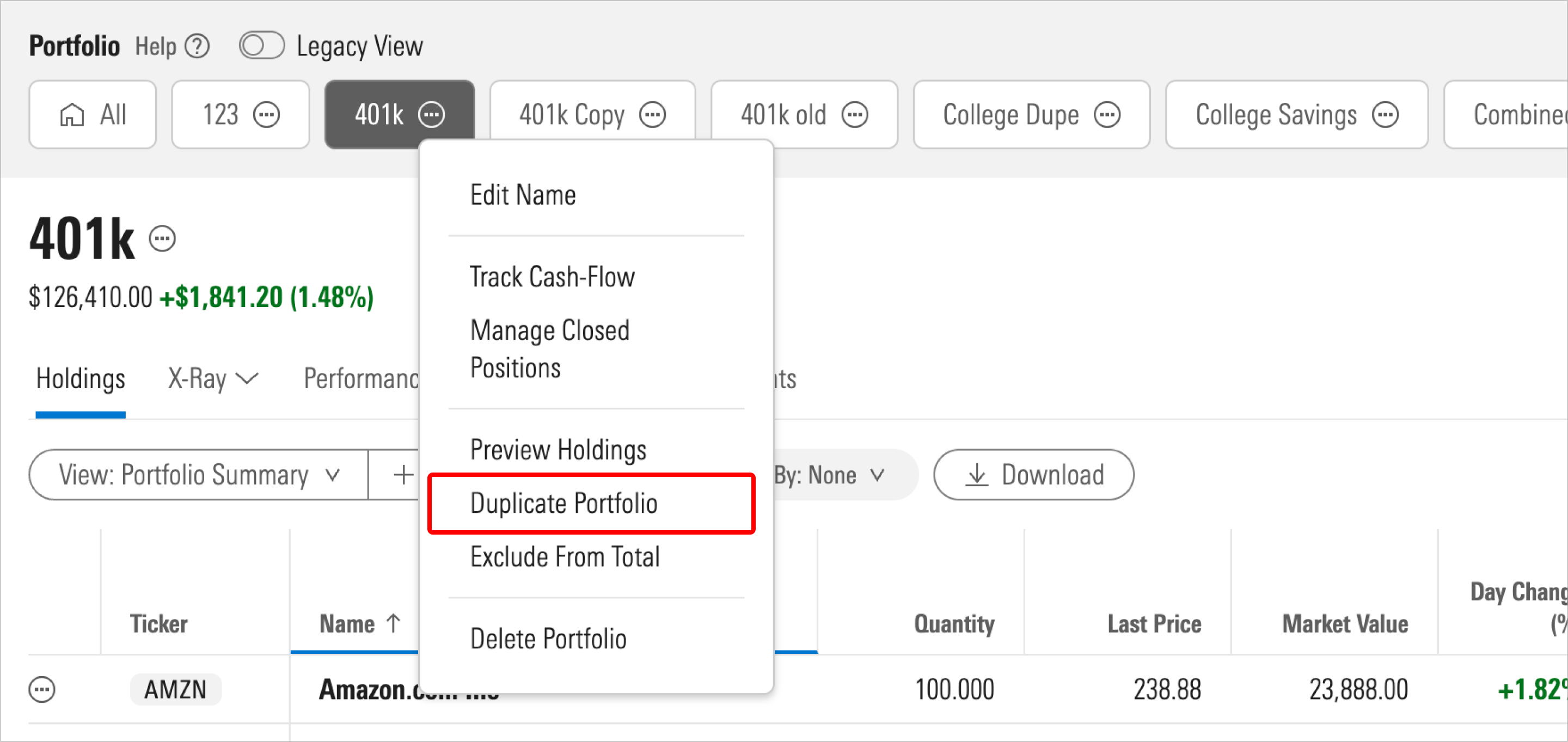
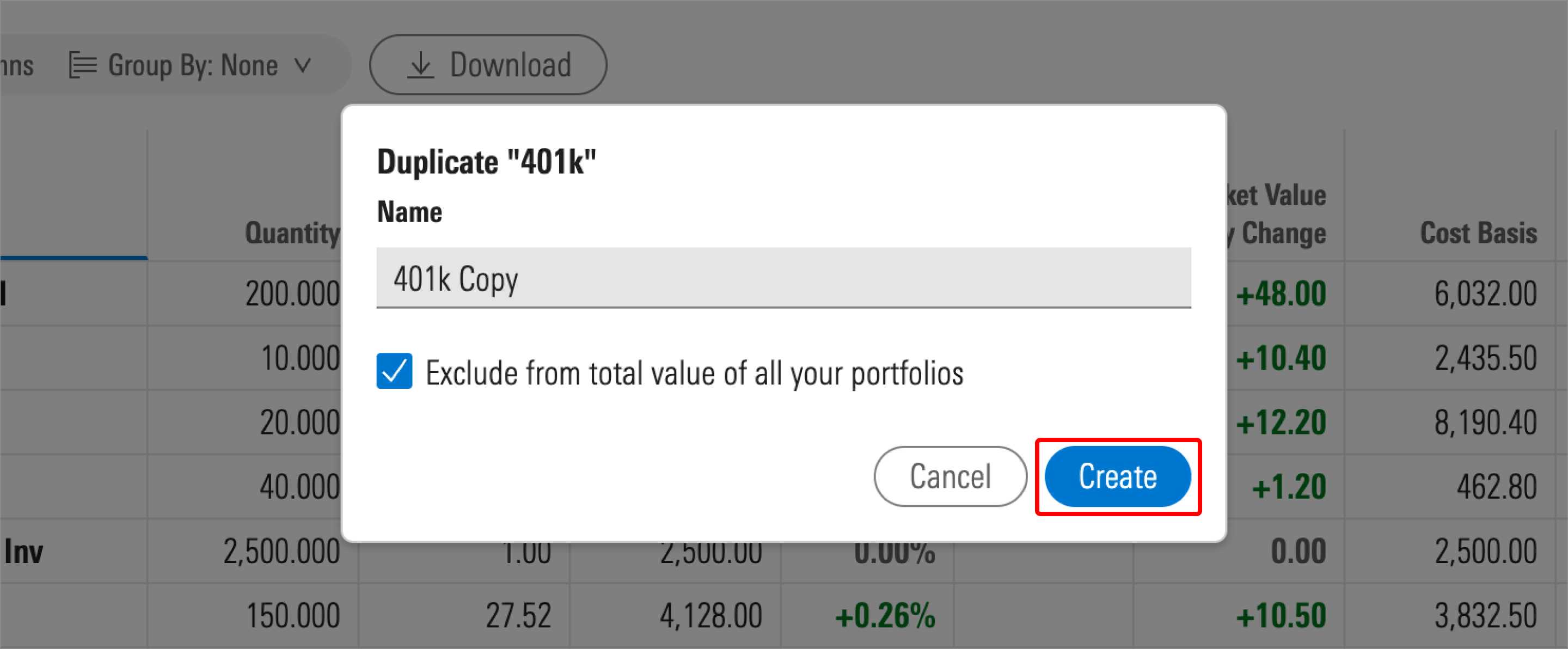
To begin the rebalancing process, create duplicate copies of your portfolios to assess how buying or selling specific holdings will change the asset allocation.
Note that the instructions provided below will work best with a portfolio containing manually added holdings as opposed to linked account holdings.
Customize your view
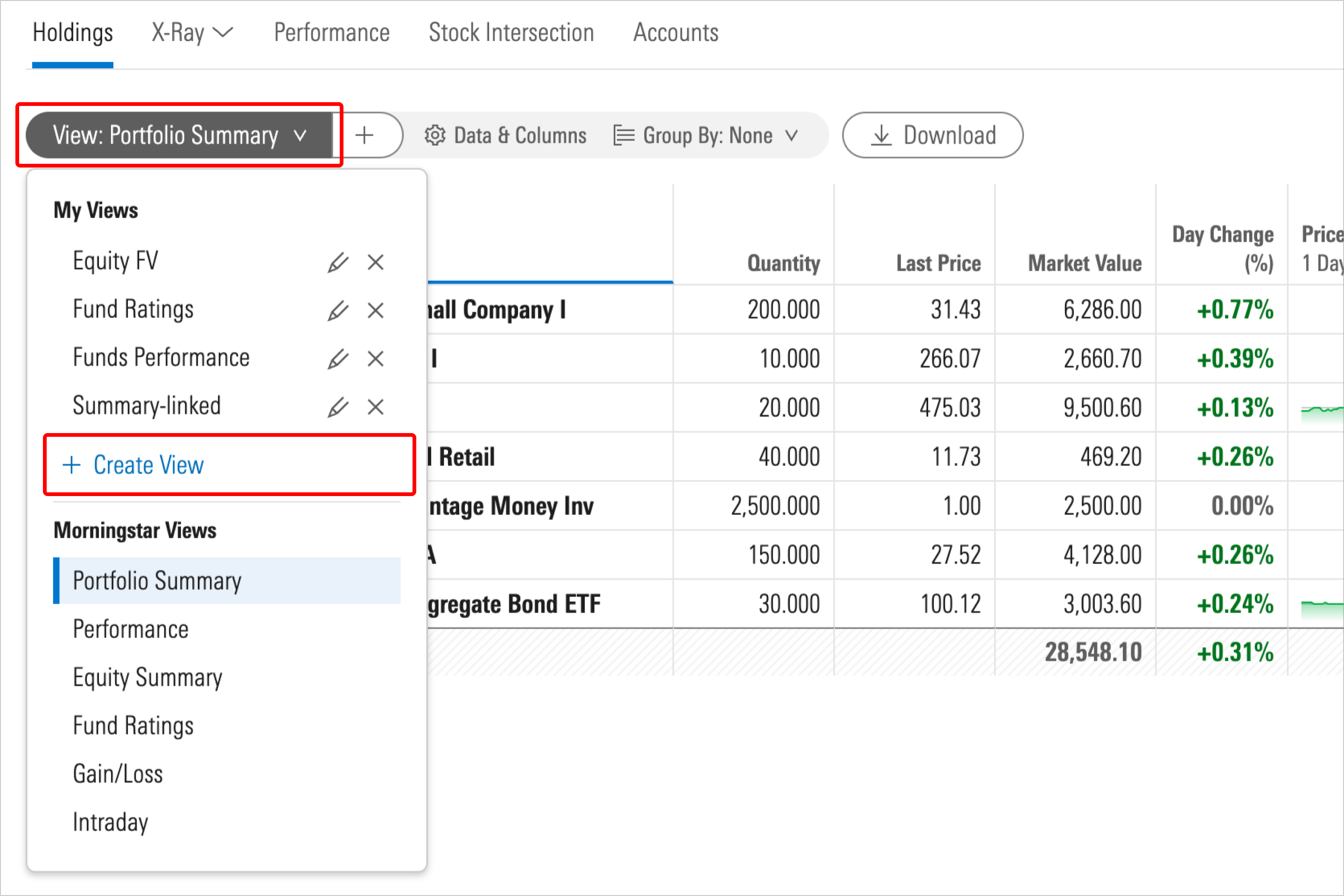
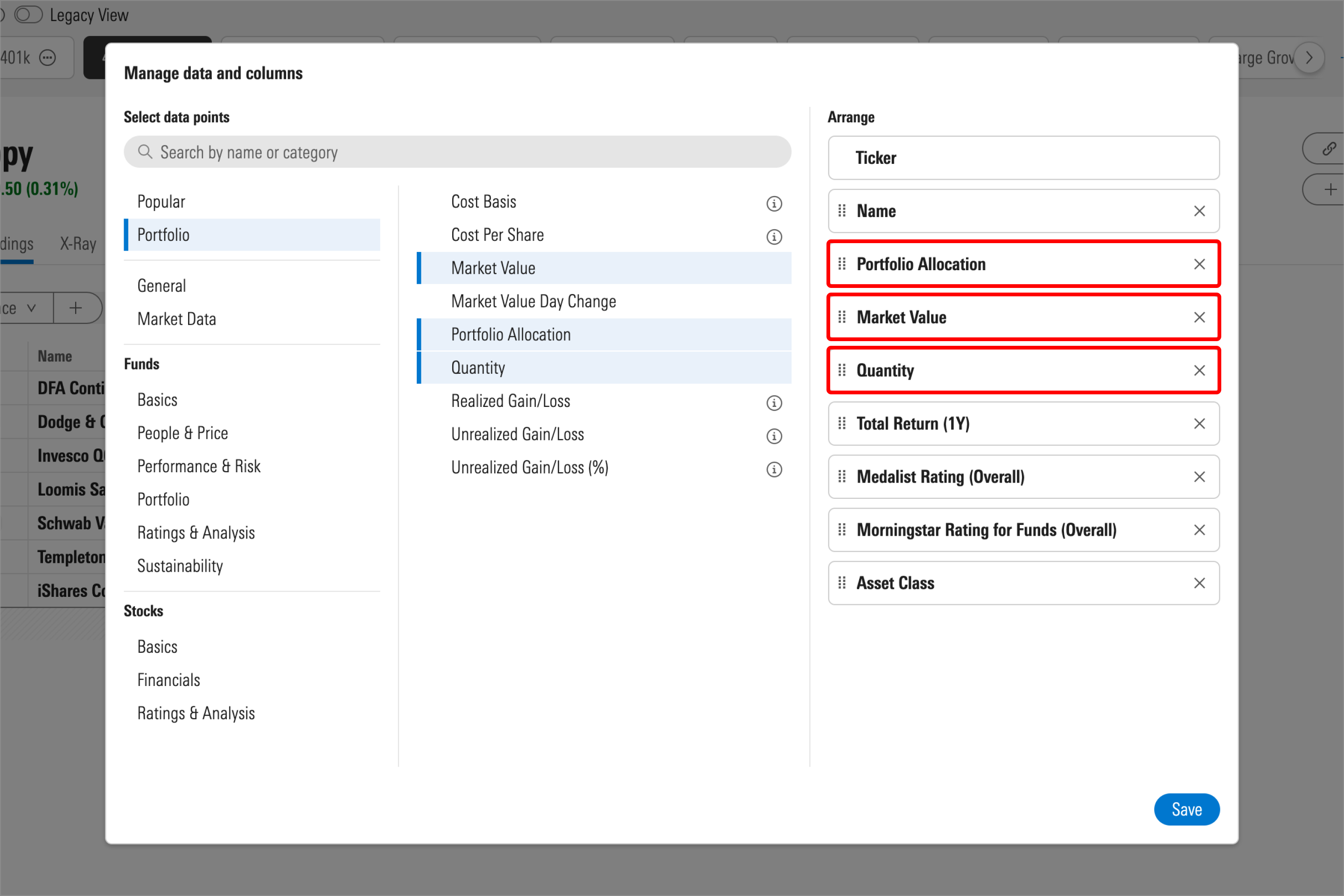
After you’ve duplicated your portfolio, create a new custom view and include the following columns:
- Portfolio Allocation
- Market Value
- Quantity
Rebalancing with X-Ray and the Holdings Breakdown views
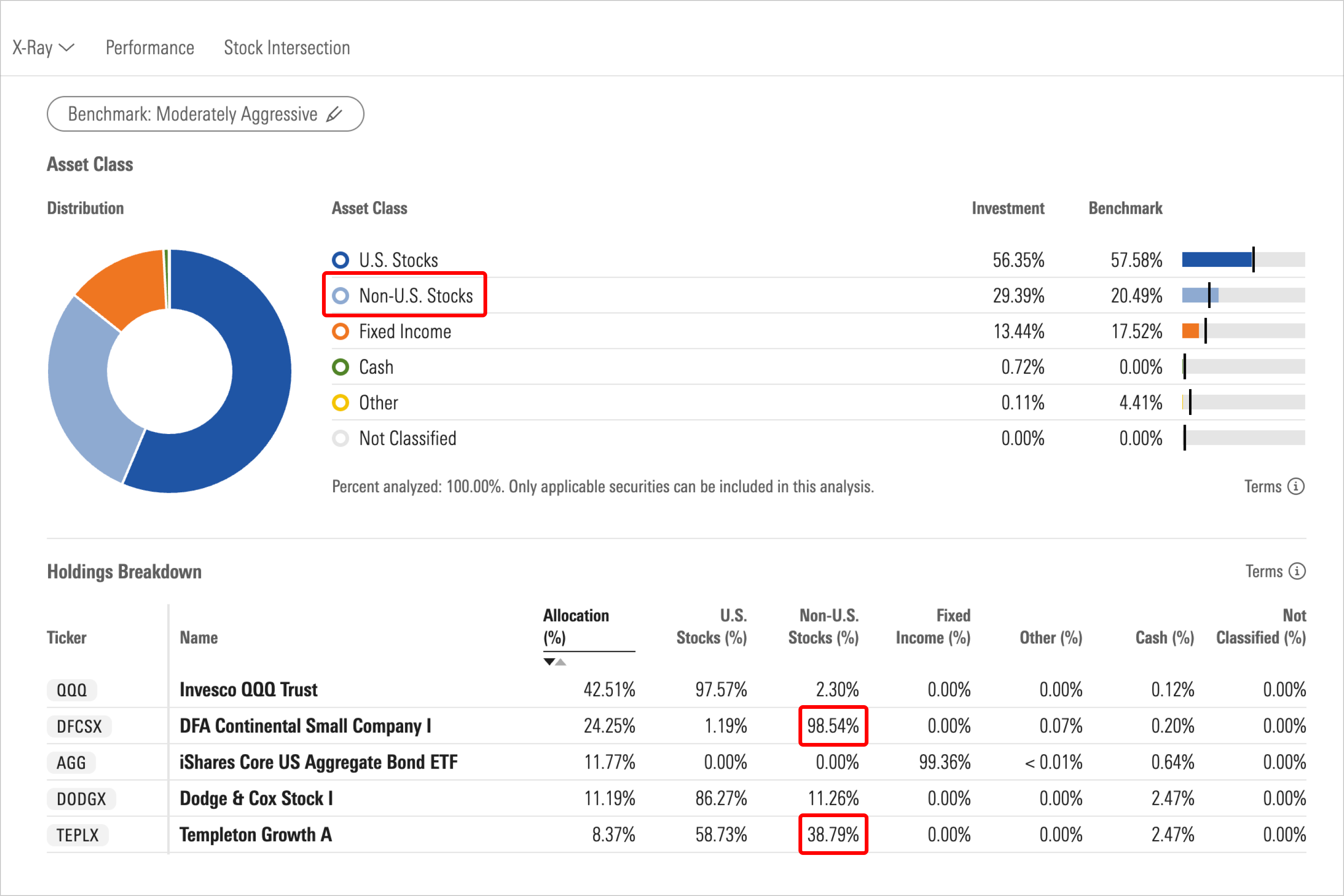
Each X-Ray view (Asset Class, Stock Sectors, World Regions, etc.) has a Holdings Breakdown table, which shows how each security in the portfolio contributes to the breakdown totals. The Holdings Breakdown tables provide a view of your current exposure and help you rebalance toward benchmarks or targets for asset class, stock sectors, world regions, stock style, etc.
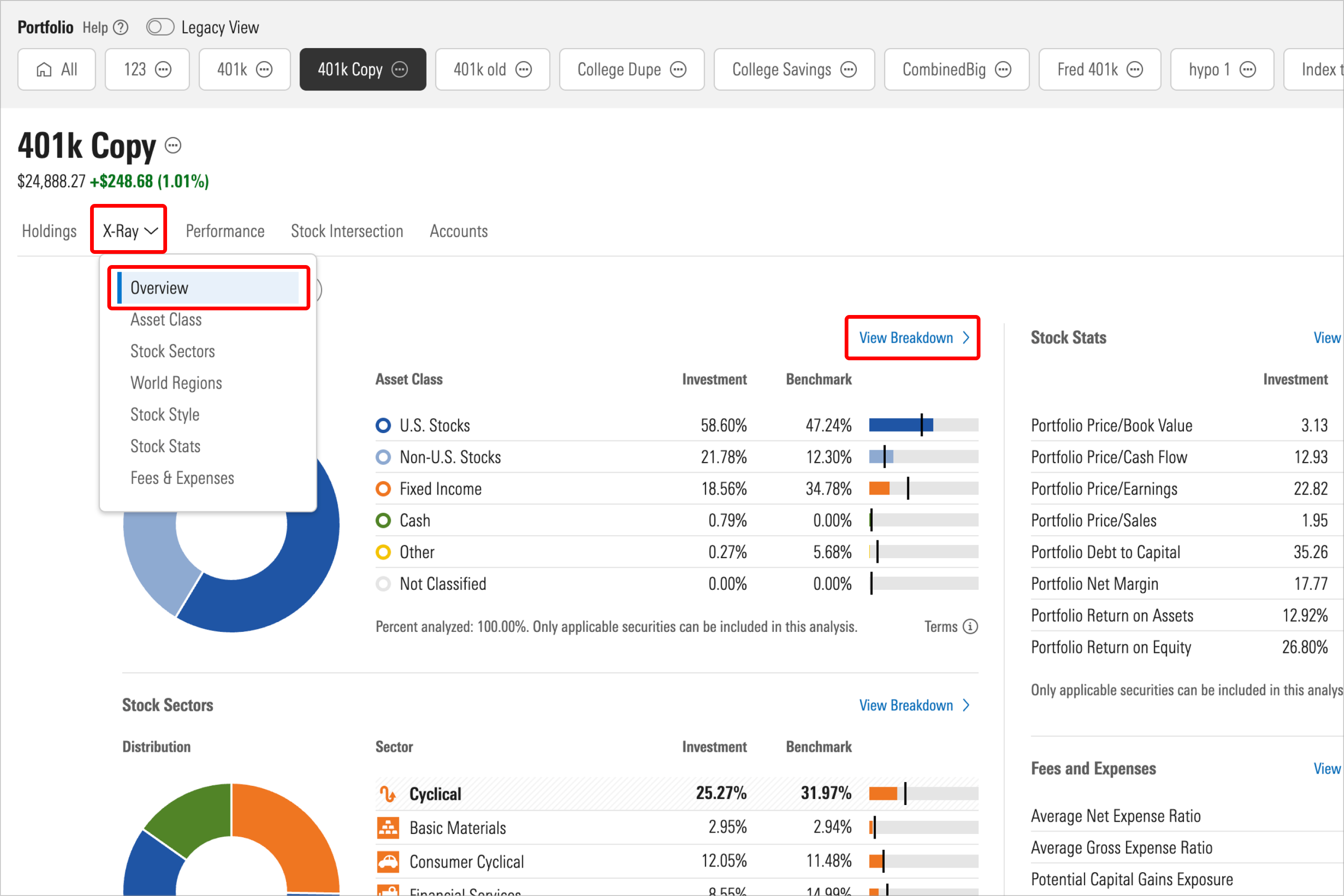
Here are some important facts to keep in mind as you rebalance with X-Ray:
- Investor analyzes the portfolio of each mutual fund to classify each stock, bond, or cash position to the appropriate asset class, stock sector, world region, and stock style. Most funds hold a small percentage of cash in the portfolio.
- Stock Mutual funds and ETFs typically contain some mix of large-cap, mid-cap and growth, value, and core positions. A fund assigned to the Morningstar Category Large Growth will not hold 100% large-cap growth stocks.
- The X-Ray view shows the most accurate asset class values, whereas the Holdings view does not.
- When you compare asset class breakdowns in the Holdings view to the asset class percentages in X-Ray, the values will not match.
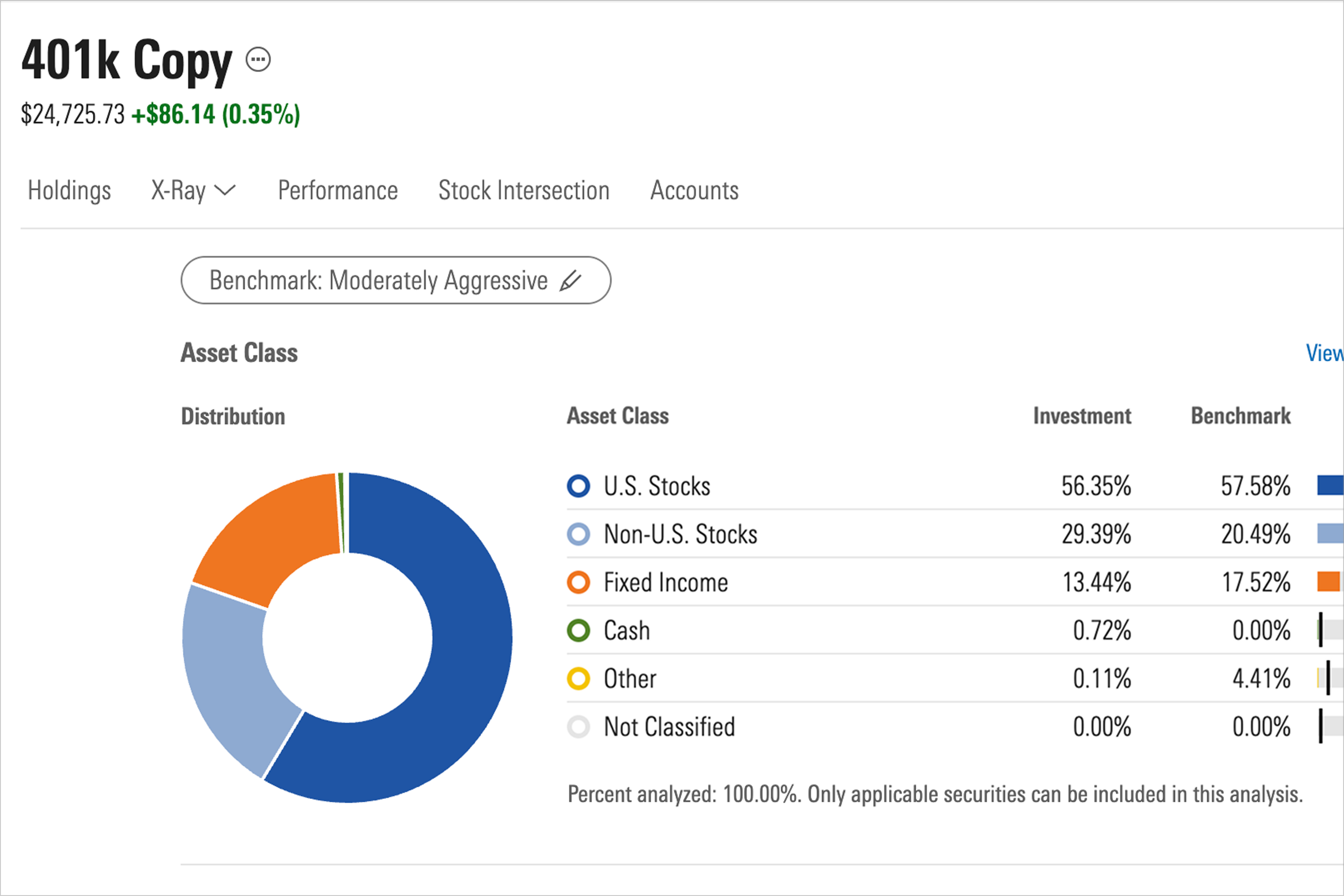
To begin the rebalancing task with X-Ray, you can compare your portfolio against five target benchmarks that range from aggressive to conservative. In the Investment column, you can see the values for your current portfolio, which are compared to the benchmark’s standards in the Benchmark column. Use the Benchmark drop-down menu to compare and select the benchmark that best aligns with your investing goals.
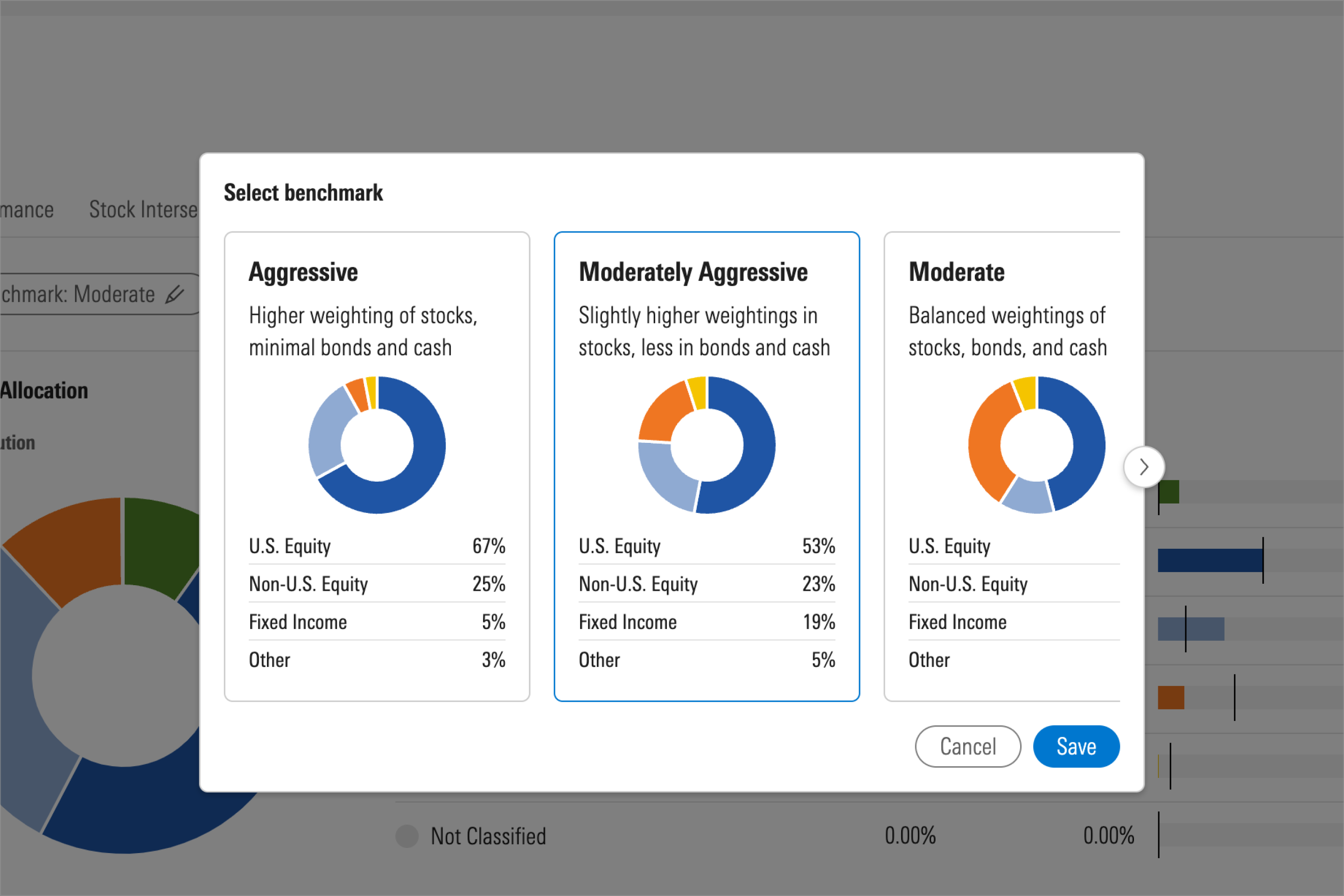
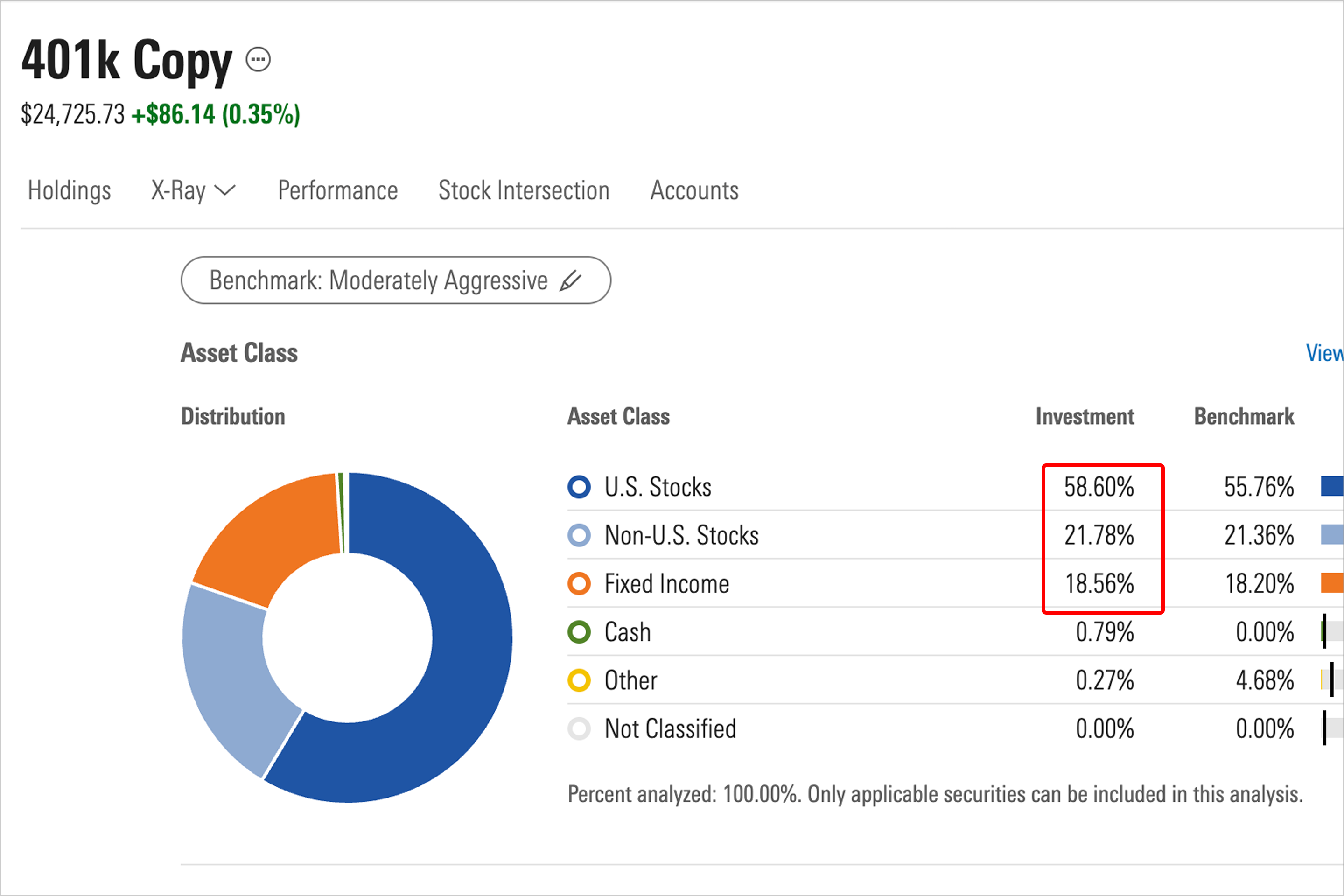
As you rebalance your portfolio to better align with your chosen benchmark, you will toggle between the Holdings tab and the X-Ray tab. In the Holdings tab, you can change the number of shares by entering buy and sell transactions. Then, moving back to the X-Ray tab, you can see how those changes match your benchmark’s standards.
If, for example, your portfolio holds 29% Non-U.S. stocks compared to the benchmark target of 20% you need to know which holdings are driving the 9% overweight exposure. The Holdings Breakdown table shows the contribution of each holding to the various asset classes. You may choose to sell some shares of the DFA fund (DFCSX) or the Templeton fund (TEPLX) because these funds contain the highest percentage of non-U.S. stocks. Next, you will increase the number of shares in a U.S.-Stock fund or a fixed-income fund to rebalance the asset-class weights of your portfolio.
Managing transactions
To alter your duplicated portfolio to see how sales and purchases can affect your benchmark goals, go to the Holdings tab, select the action button to the left of any security, and choose Manage Transactions.
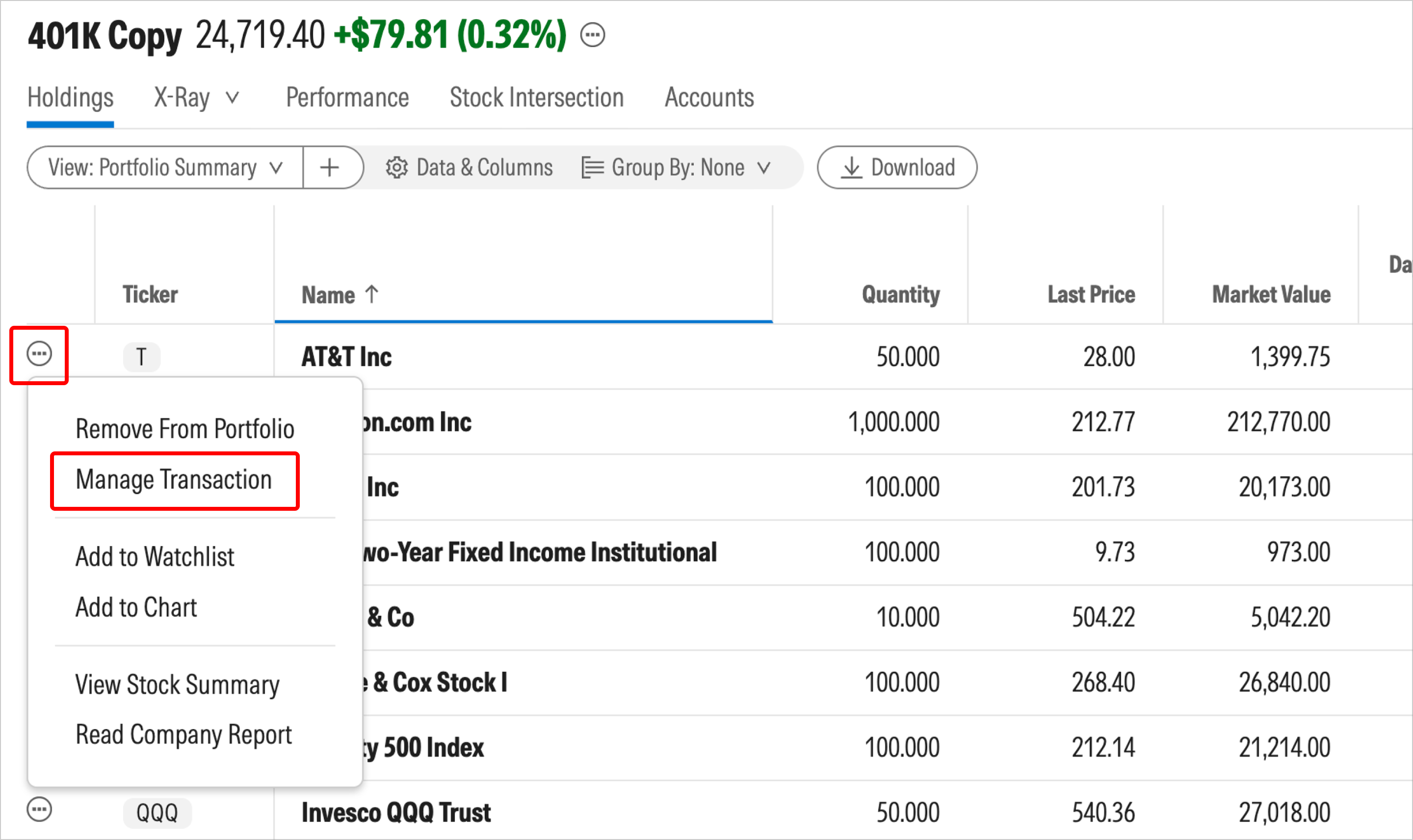
In our example, we sold some shares of DFCSX and bought more shares of QQQ and LSBRX. After adding the transactions, you can review the overall impact to your asset allocation using the X-Ray view.

 United States