
Get Context Around Market Movements—and New Ways to Screen for Investments
Morningstar Investor subscribers now have access to two new AI-powered features on Morningstar.com. Each is meant to make finding and evaluating investment ideas faster and more intuitive.
Before we dive deeper, it's important to emphasize that any AI capability we introduce is designed to complement—not replace—the Morningstar tools, insights, and analysis you rely on.
Contextual Stock Summaries
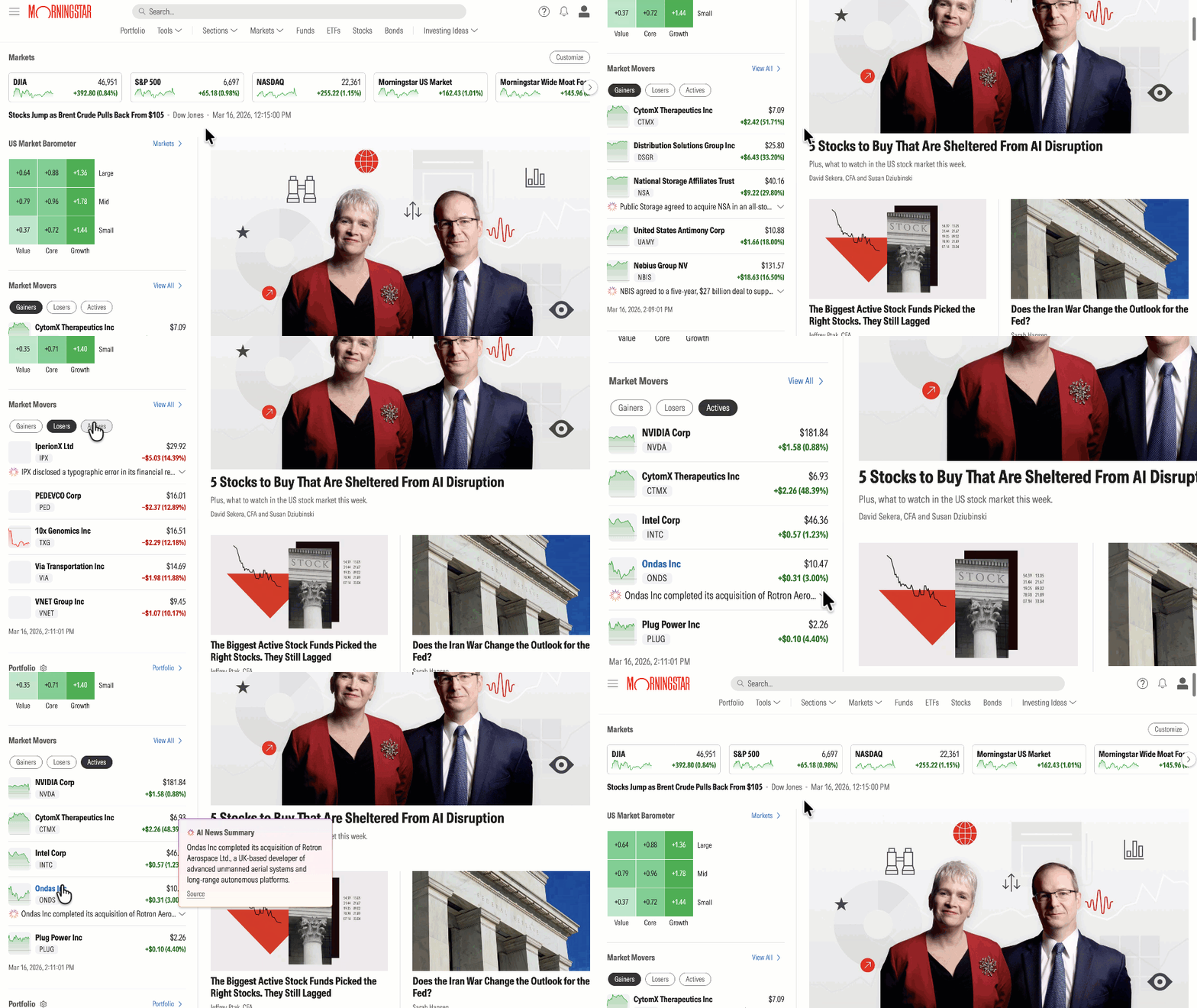
Stocks move for many reasons, and the explanations are often scattered across multiple news articles. Contextual Stock Summaries bring that information together in one place.
When a stock appears in the Market Movers widget on the Homepage or Markets page, you’ll now see a short summary explaining why the stock is a Gainer or Loser. These summaries are generated using recent reporting from approved news sources and include links to the articles used; you’ll also see them at the top of stock quote pages for companies currently in the news.
• Why this matters: Instead of scanning multiple headlines to understand a price move, you can quickly get the key context—then follow the links to read the full news source if you want to go deeper.
Natural Language Search in Screener
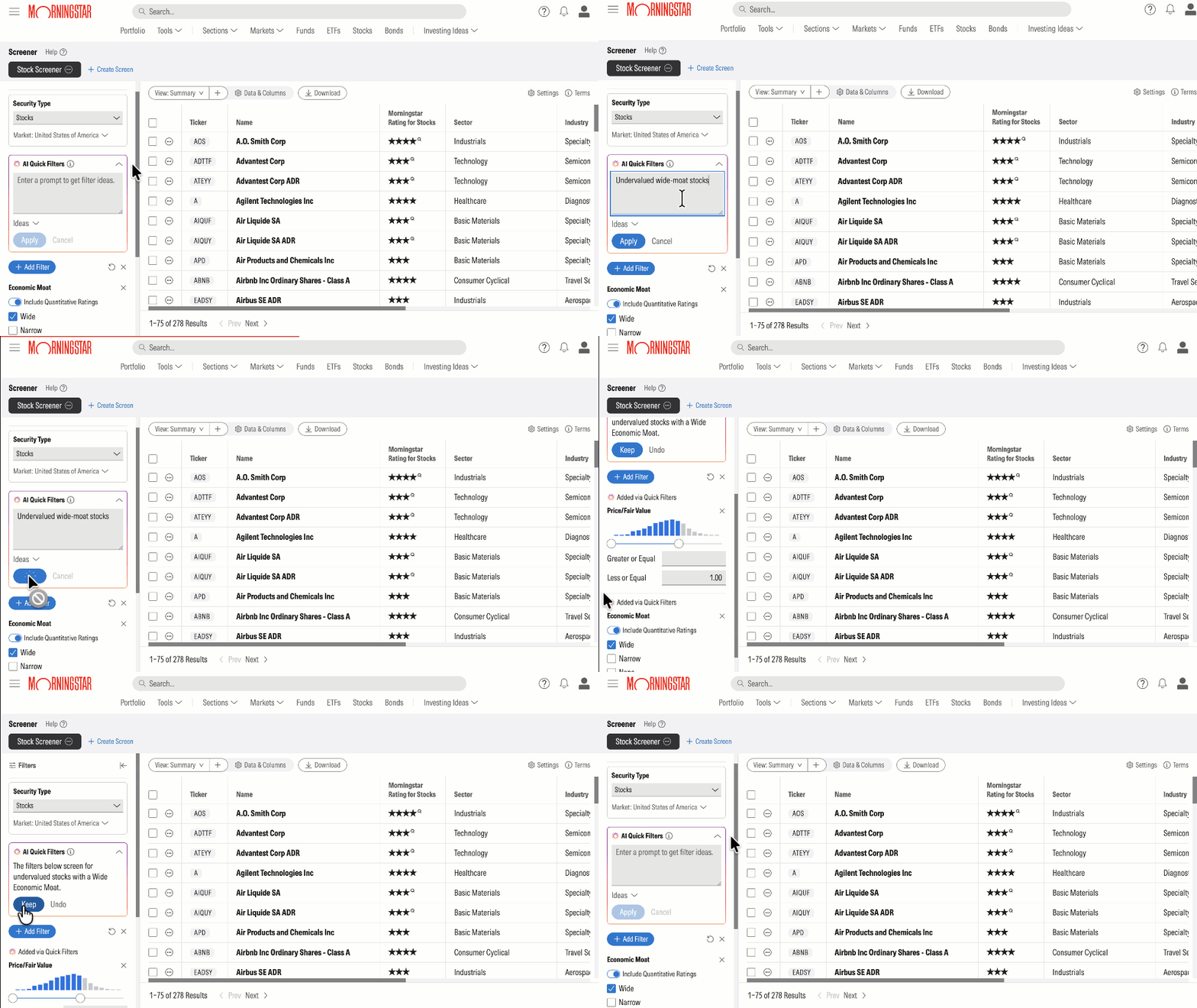
The Screener tool already allows Investor subscribers to filter thousands of securities using Morningstar’s data. Now, with AI Quick Filters, you can start with a simple request in everyday language.
In a new search box within Screener, you might type something like “five-star stocks with dividends above 3%” or you can pick from sample prompts in the Ideas drop-down. After clicking Apply, you’ll see a summary of how AI interpreted your prompt, with relevant filters listed below. Select Keep if you like what you see or choose Undo to start over. You can also pick and choose which AI Quick Filters to retain or remove.
• Why this matters: Investors often have a sense for the type of opportunity they’re looking for, but may not know which filters to apply. Natural language search helps bridge that gap and turns an idea into a workable screen more quickly.
AI with a Morningstar Lens
Across both features, the goal is the same: help investors move from question to insight more efficiently while keeping Morningstar’s research, data, and transparency at the center of the experience.
To learn more, visit the Help Center, including What to Expect with Morningstar Investor’s Use of AI and How to Use AI Quick Filters in Screener.

 United States