
Add screened securities to watchlists

Populate watchlists with securities you find via Screener.

You can easily add your Screener findings into a watchlist for ongoing analysis.

1. Select the box near the securities you want to watch.
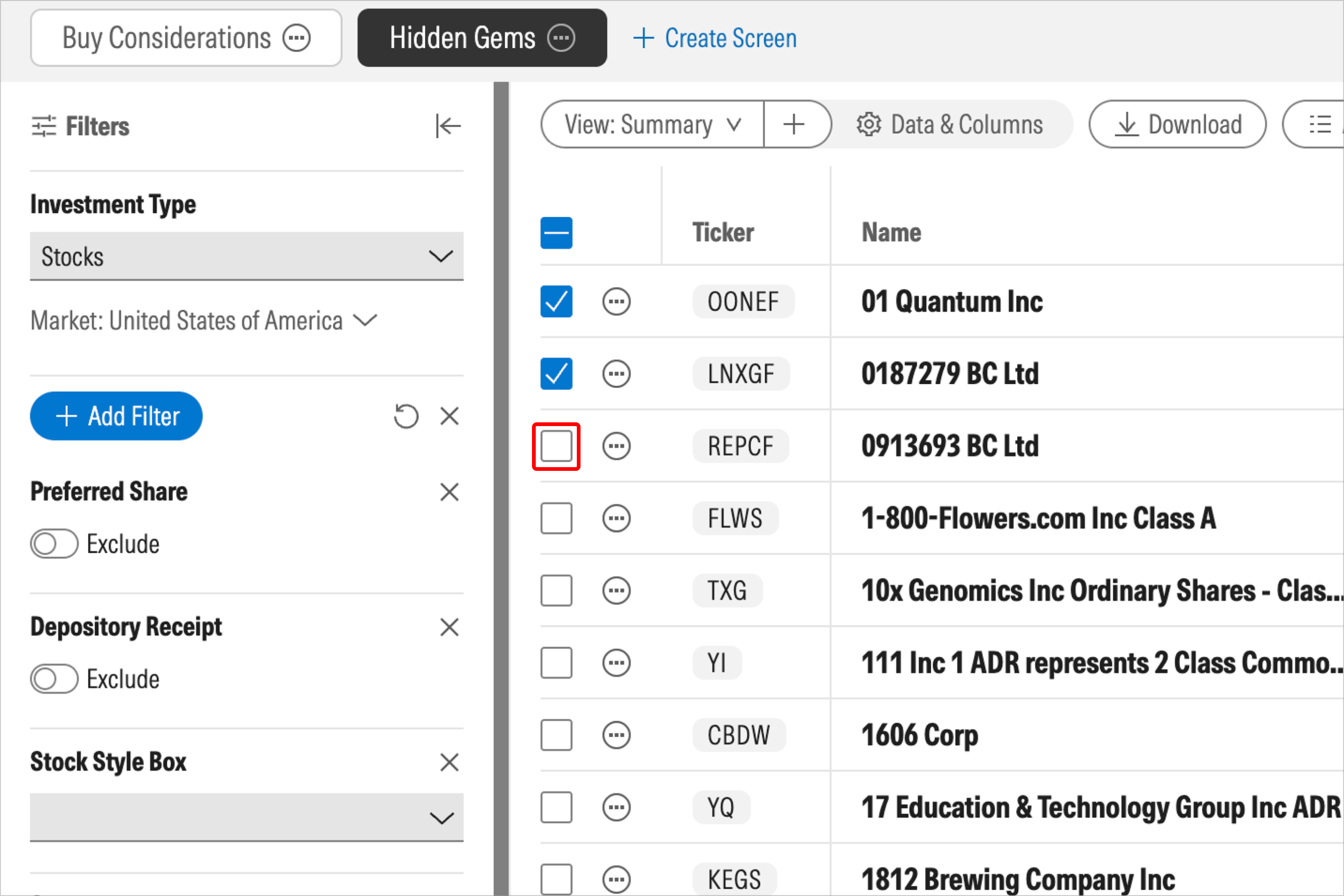
screener-add_to_watchlist_1_intrinsic.png

2. Choose the Watchlists button.

You can now create a new watchlist or add the selected securities to a saved watchlist.
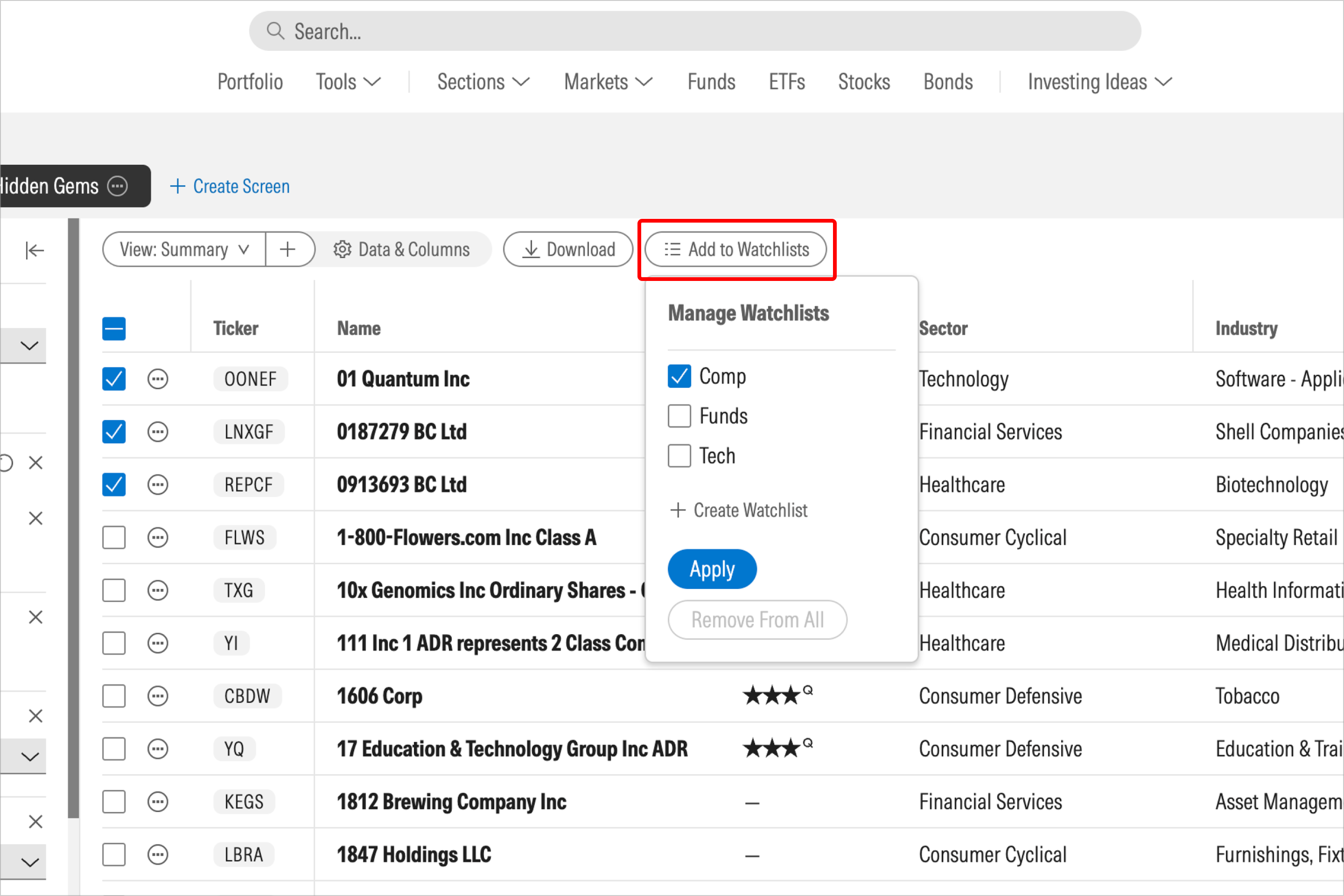
screener-add_to_watchlist_2_intrinsic.png

More Tools: Screener Help

View All
  • Intro to Screener

    Watch a video tutorial for Morningstar Investor's Screener tool.
  • Create a screen

    Learn how to create screens in Screener and choose between pre-defined screens or custom views.
  • How to Use AI Quick Filters

    Learn how to use AI Quick Filters to search for securities that meet your desired criteria.

More Help Topics

Help Home